2025 What's New
December 2025: Source Board Dumping Updates
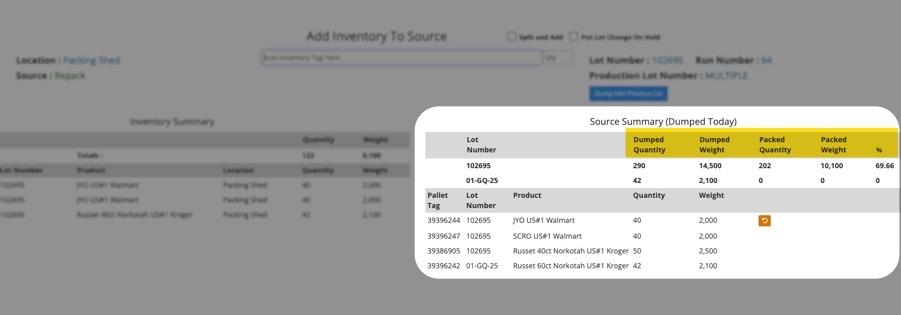
- In the Source Board Dumping page, dumped & packed columns have been updated and new metrics added.
- All column data is based on each lot and what was dumped or packed since midnight.
- Columns:
- Dumped Quantity: Units of inventory/bins/pallets/ dumped into a source
- Dumped Weight: Weight of total units dumped
- Packed Quantity: Finished pallets/units produced from a production line from the same source & lot.
- Packed Weight: Finished pallets/units total weight produced from a production line from the same source & lot.
- %: Percentage of the “Dumped Quantity” for each lot that has been packed as finished goods “Packed Quantity” since midnight.
December 2025: Packaging Default Rate Added
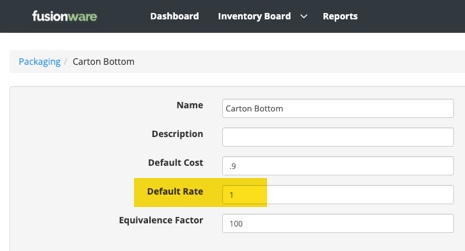
- Default rate for packaging has been added
- This is used for setting rates on the order when selling
December 2025: Documents Save Button
- In the Order Documents print/email preview there is now a “Save” button so you no longer have to print or email the document to save it to the documents tab inside the order
December 2025: Load Inventory From Inventory Report
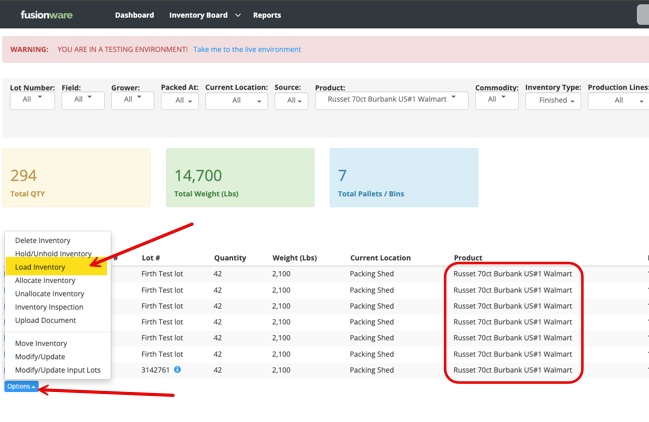
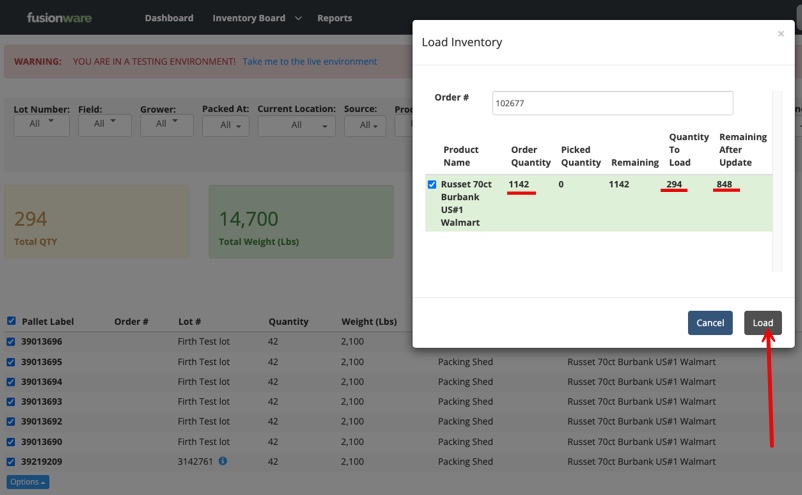
- Inventory can now be manually loaded onto on order from the Inventory Report
- Filter down to the inventory you want to load
- Select all inventory with the same product
- Select the Options button then Load button
- Enter the order number (product name must match what’s on the order and qty. must not exceed the order) then press load
December 2025: Shipper Documents Contacts
- The vendor contacts on an order now pull into the shipper documents contact list when emailing the document.
- Shipper Confirmation
- Single Shipper Confirmation
- Shipper Settlement
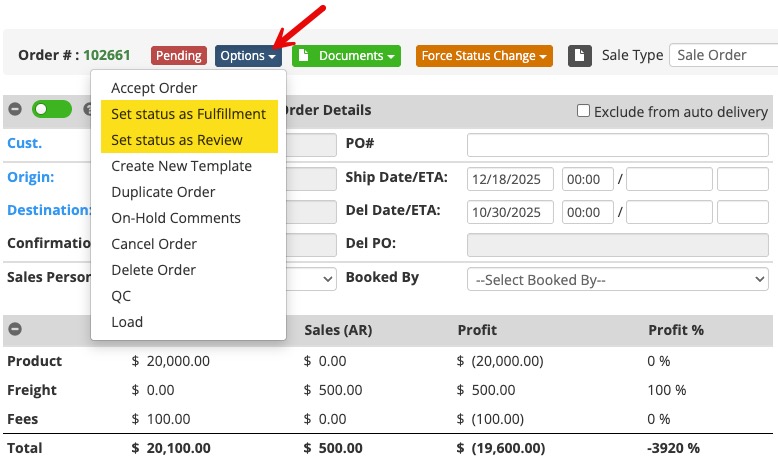
December 2025: Order Status New Options
- There are 2 new Pending type of Order status options: Fulfillment & Review
- These function just like Pending, and include a red color for their label.
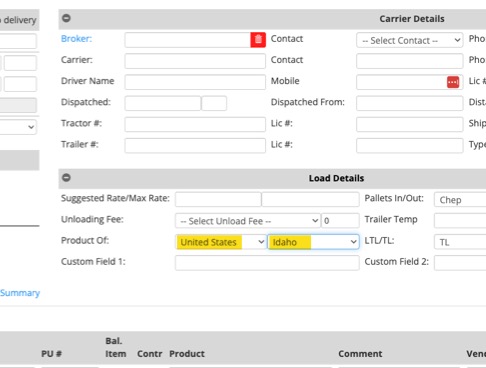
December 2025: Product Of Country/State Split
- In an Order and the Load Details, the Product Of now splits out for Country and State.
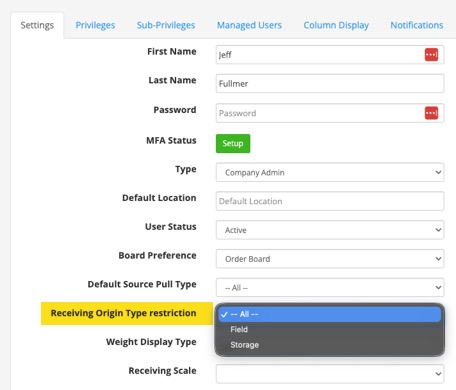
November 2025: User Restriction on Receiving Origin
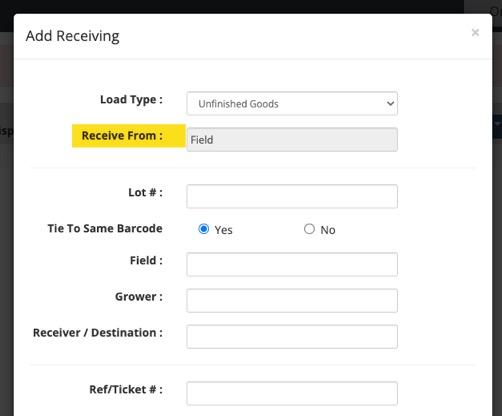
- An admin can now set user restrictions to limit the ability to receive from a field or storage.
- In the receiving modal, when a user chooses their Load Type (ie: unfinished, raw, etc.), the next option is to choose the Receive From. If the user setting is restricted, it will automatically select the Receive From dropdown restriction and disable the other option.
November 2025: Inventory Source Displayed
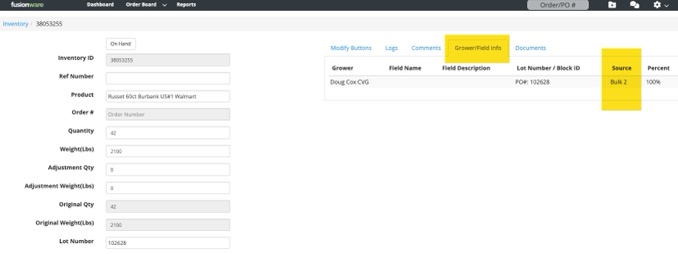
- The Source the inventory was produced from out of the Production Line now shows up in the Grower/Field Info tab in the inventory details.
November 2025: On Hold Order Status Accept Option
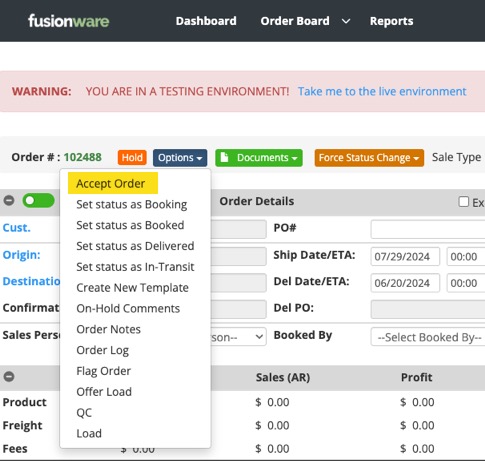
- New Order status option of “Accept Order” when you put an order on hold to take it off hold.
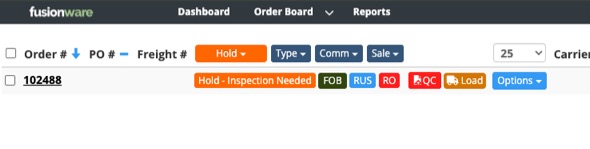
- On-Hold Comment show on the order board in the status column.
- If the order is FOB and you accept it, it will go back to Booked status.
- If the order is not FOB and you accept, it will go to Booking status.
November 2025: Auto Fees - Order Types, Company Groups, & Per Qty
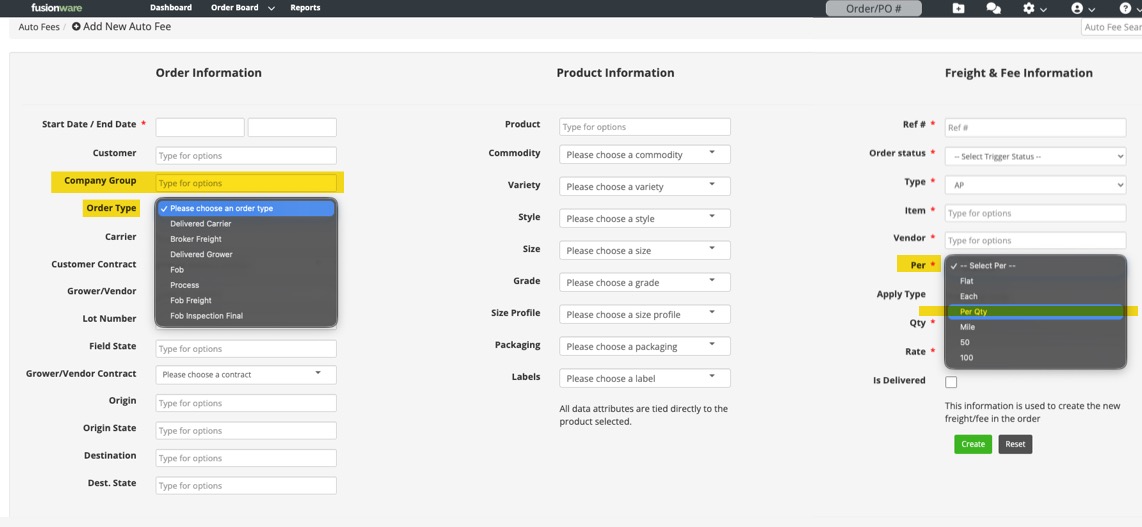
- You can now set up an Auto Fee to trigger off of the different Order Types or a Company Group.
- In the Freight & Fee side you can now do Per Qty as a Per option.
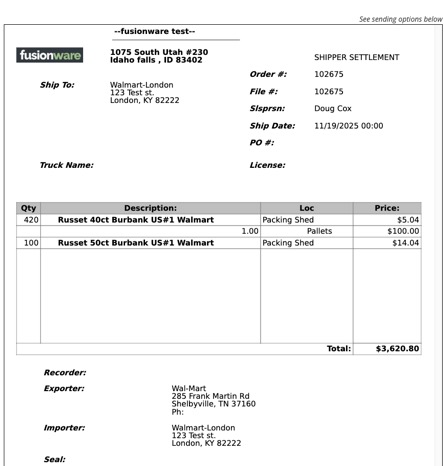
November 2025: New Shipper Settlement Document
- This document is fairly close to the shipper confirmation.
- Changes are that it displays each product line with qty and FOB as the money.
- Each product line displays each charge that is tied directly to that line, directly underneath it.
- Contact the Fusionware Sales Dept. to ask about customizing this document for your company.
November 2025: New Freight & Fees Per Options
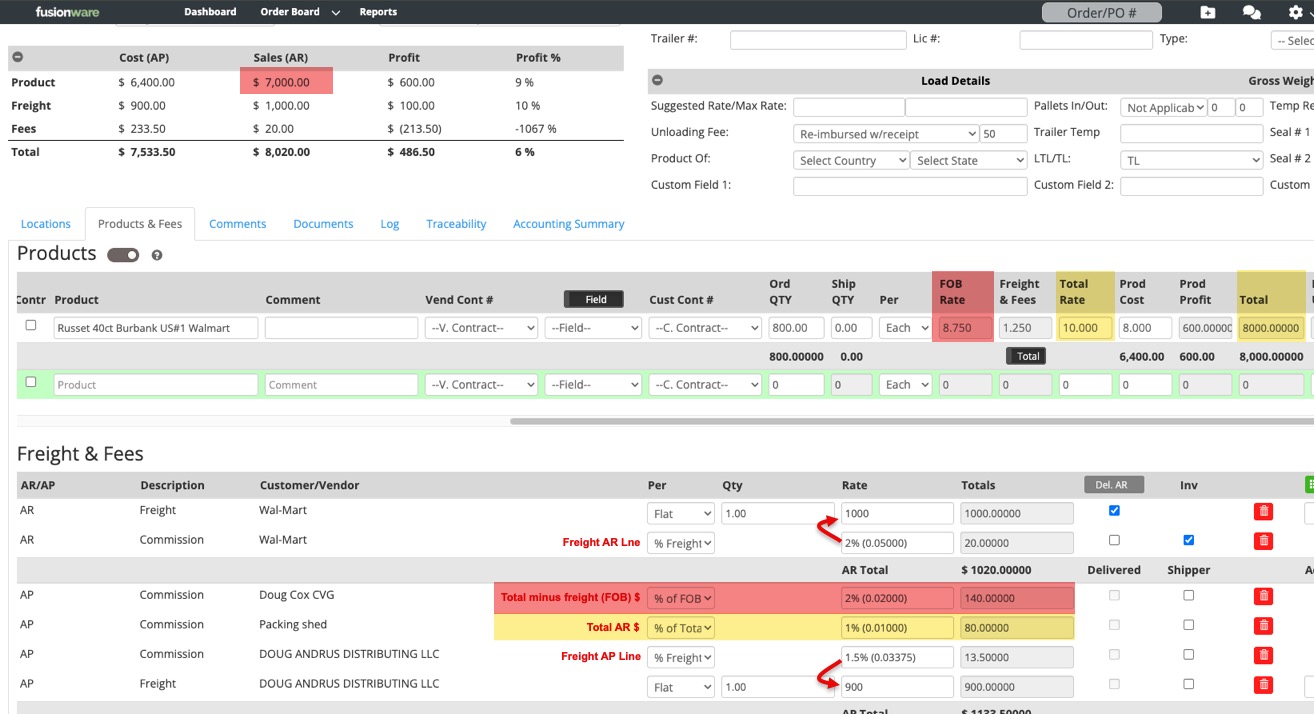
- New Freight/Fee items.
- Common use would be for commissions based on rates or freight item.
- % Freight Rate
- % of FOB
- % of Total Rate
October 2025: Inventory Board Future Days Loaded Option
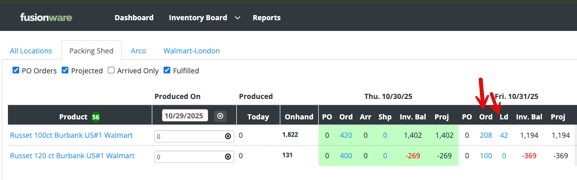
- When an Order ships on a future date and has inventory loaded onto that Order, you now have the option to see the qty that’s loaded onto that future order in the new “Ld” column.
- This loaded qty deducts from the Ordered qty
- This is a switch we have to turn on for your company if you want it to appear. Please reach out to have us make the adjustment. There is no extra cost to access this feature.
October 2025: Inventory Board Tool Tips
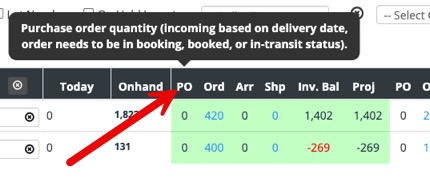
- When you hover over a column header on the Inventory Board, you will now see a tool tip to help explain the logic for that column.
October 2025: Receiving & Inventory Ref Sync
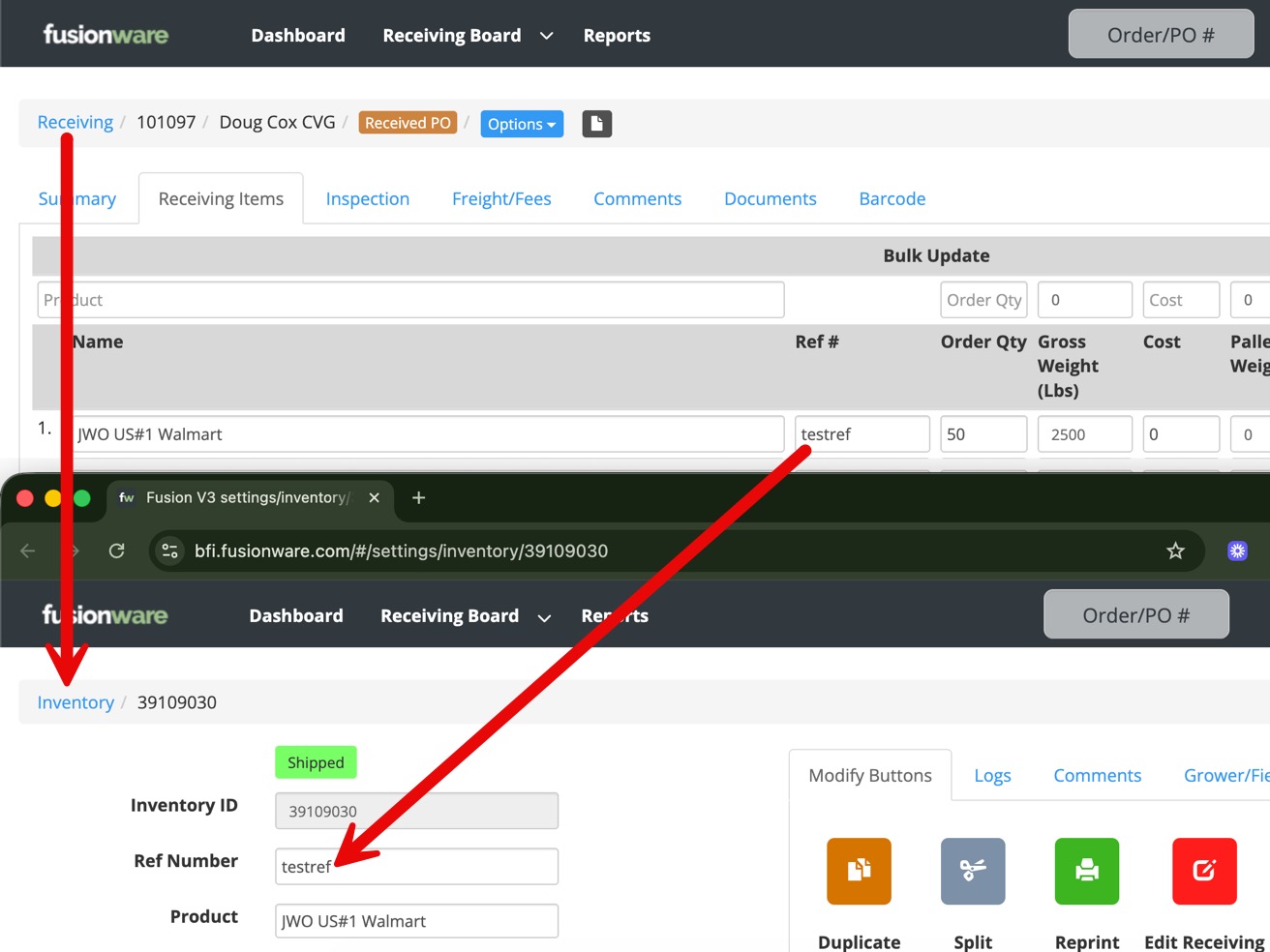
- In the Receiving Items Ref #, when you update it, that now passes through and updates the Inventory Ref Number.
- This is a one way sync. Updating the Inventory Ref Number will not work back the other way and update the Receiving Item ref #.
October 2025: Auto Fees - Product Cost
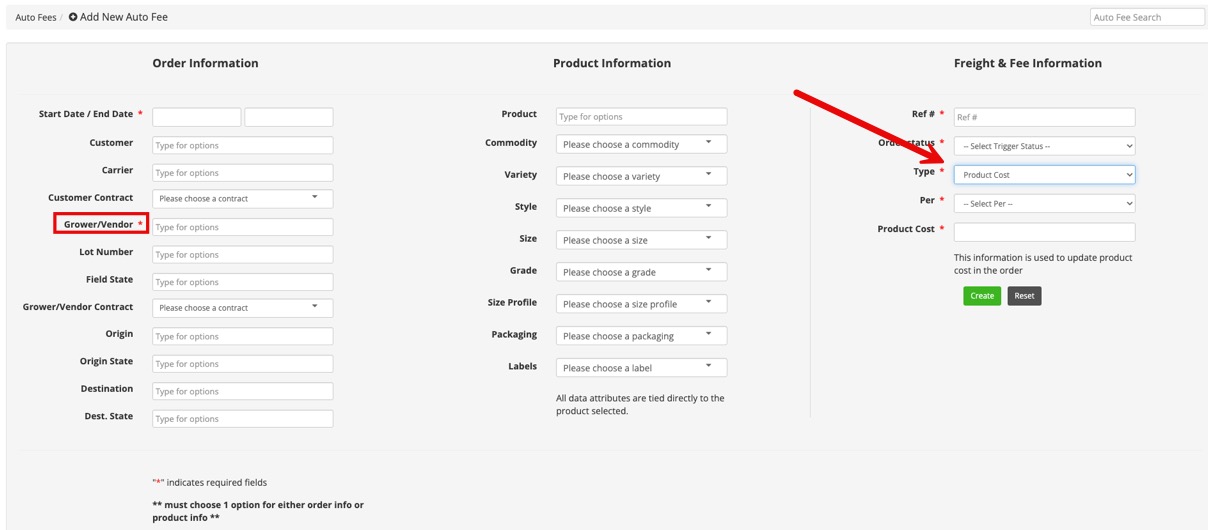
- You can now create auto fees based on products you add to orders.
- A grower/vendor is also required along with the product, at a minimum, to trigger the product fee applying to that product line.
October 2025: Confirmation of Sale
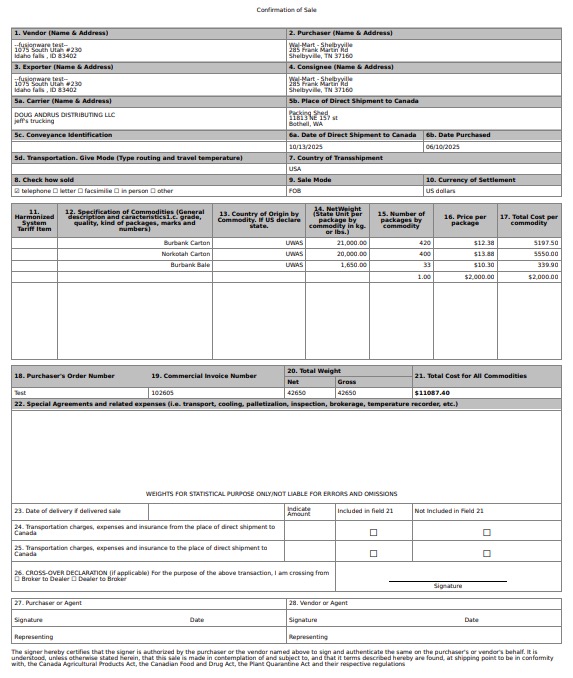
- For customers shipping to Canada, and possibly other countries, we have created a new document called “Confirmation of Sale”.
- A template is available for your use in the documents dropdown for orders.
- This differs from the Sales Confirmation document used domestically.
- Please reach out to our sales team if you would like to make adjustments to it.
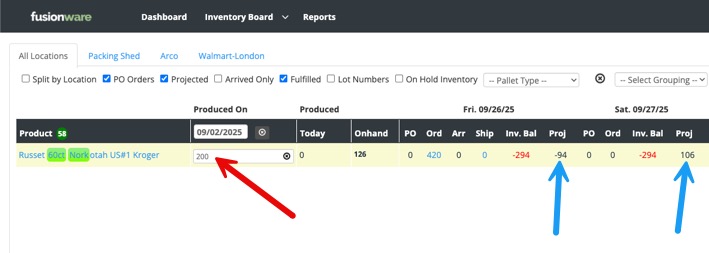
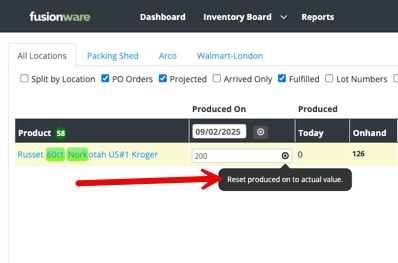
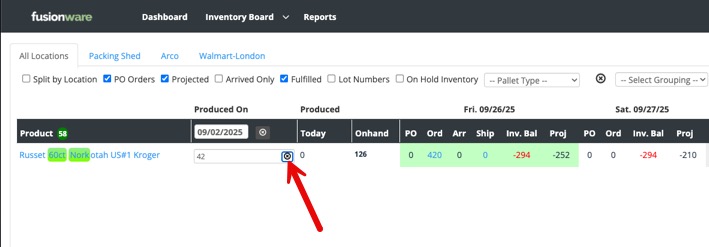
September 2025: Inventory Board Produced On Manual Adjustment
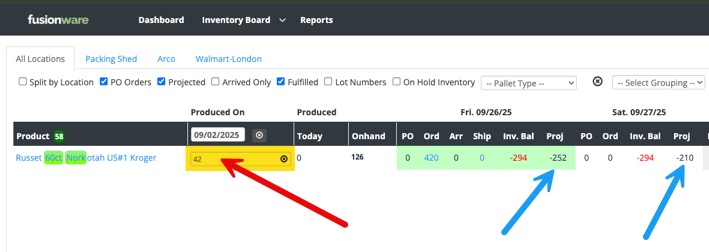
- Users can now manually change Produced On values
September 2025: Document Email Text Update
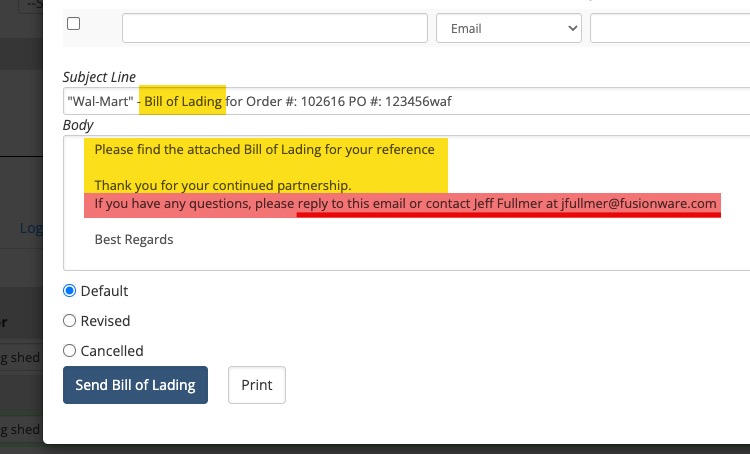
- In an effort to increase the odds that Fusionware order document emails will go to the receiver’s inbox and not spam, we have changed some language in the subject line and body of the emails.
- We now fully spell out “BOL” in the subject line.
- Added more text and who the email sender is.
- It is best practice to make sure receivers whitelist the Fusionware sending email address.
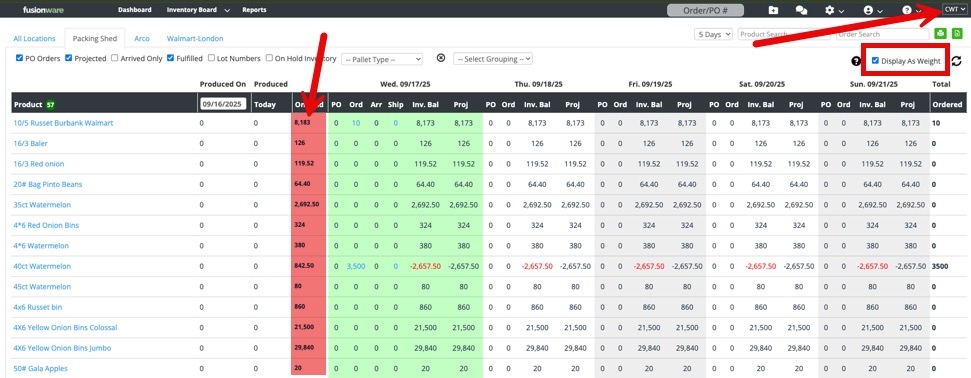
September 2025: Inventory Board Display Weight
- You can now change the quantity display on the Inventory Board to display as weight.
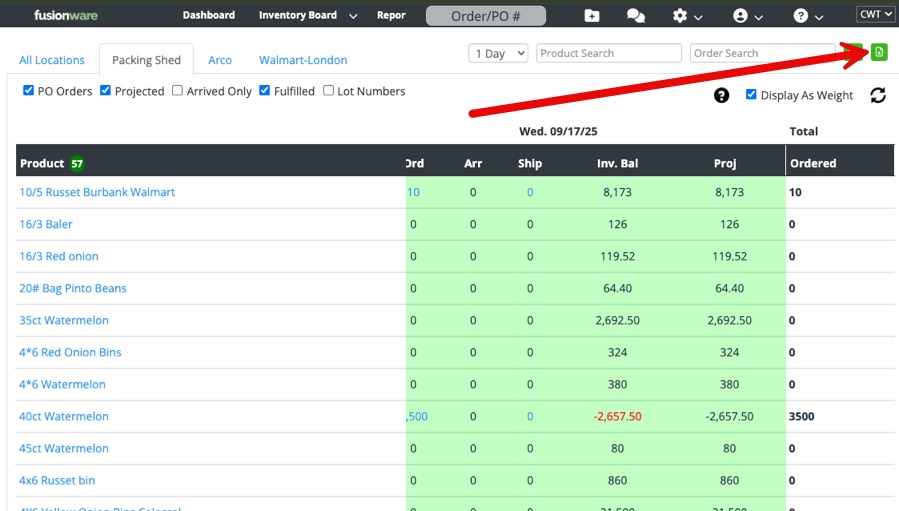
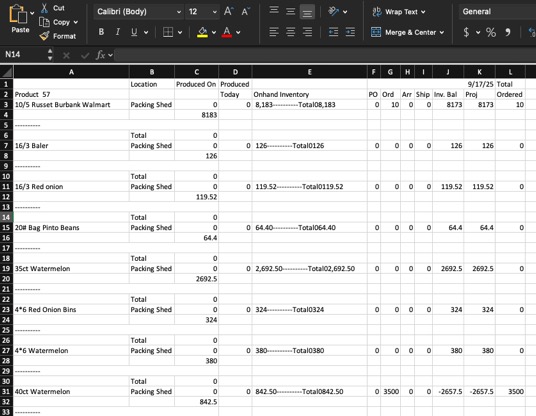
September 2025: Inventory Board Export
- There is now an Excel export option to the right of the Order Search and Print button.
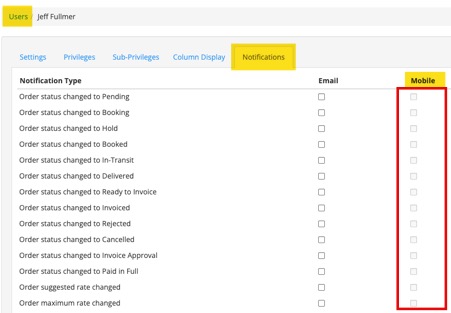
September 2025: Mobile Notifications
- Due to text message limitations for notification texts, we have had to disable this feature.
- You are still able to receive Orders update notifications over email.
August 2025: Mobile App Barcode Scanners
- We have calibrated the mobile app to better handle Bluetooth scanners in HID mode.
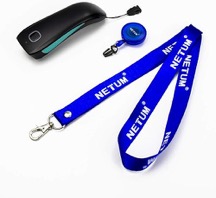
- This allows a mobile device (phone or tablet) to accept barcode scanning from a Bluetooth barcode scanner in HID mode.
- The benefit is it lets you utilize the Fusionware mobile app on a high quality mobile device, like an iPad, with an inexpensive pocket-size barcode scanner.
Example of an inexpensive unit:
August 2025: Companies Address Tabs Clean Up
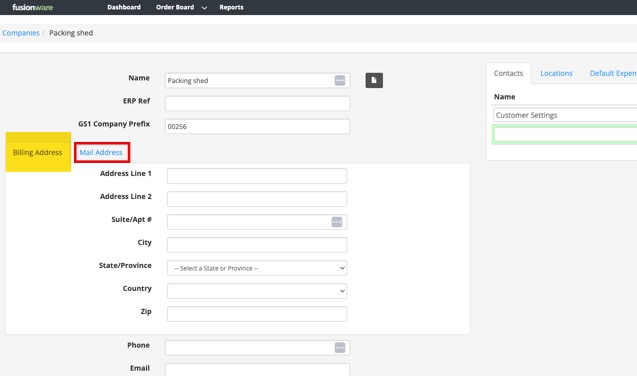
- We’ve made changes to make company addresses easier to understand and use in the Customers, Vendors/Growers (Companies) section:
August 2025: Mobile App Order Additions
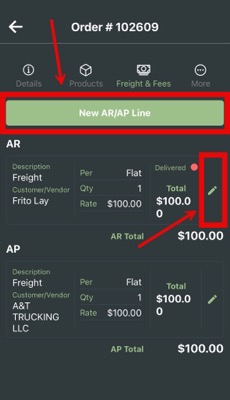
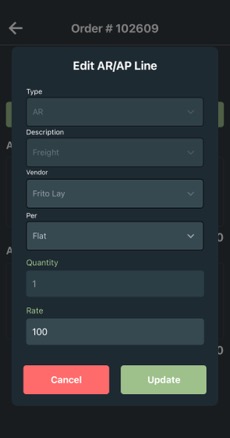
- Freight & Fees edit in orders on the mobile app now possible.
- Adding new Freight & Fees items is now possible.
August 2025: Mobile App Inventory Enhancements
- You can now update these inventory items on mobile:
- Product Name
- Shipping Date
- Weight
- Quantity
June 2025: Mobile App Updates
- Face ID or Touch ID Login (Pending Mobile app stores approval/release).
- You can enable or disable the option to use biometrics to login on your profile in the mobile app.
- This option is only visible on mobile devices and scanners with biometric capabilities.
- Bug Fixes
- Fixed the issue where some orders were being filtered out in the searches in the evening.
June 2025: Auto Removal of Allocated Inventory
- When inventory is allocated to an order, and you do not load it onto that order the inventory is now removed and set to On Hand.
- This will occur once you:
- Mark the load as Loading Complete
- Or manually move it into the status of In-Transit
- Or if you Cancel or Delete the order.
- Previously, you had to manually Unallocate the inventory to put it back into On Hand status.
June 2025: Support Site Mobile App Training Video
- The mobile app overview training video has been updated with the latest features. It is a complete walkthrough of how to use the mobile app from start to finish.
- You can click HERE to view the video.
May 2025: Mobile App Updates
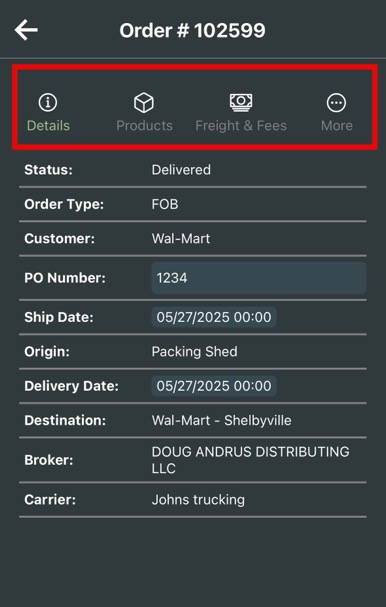
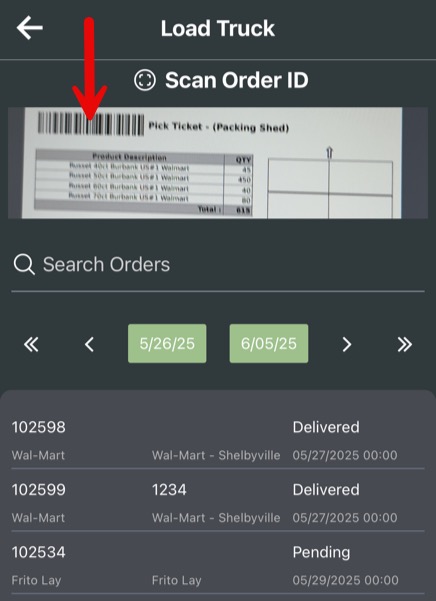
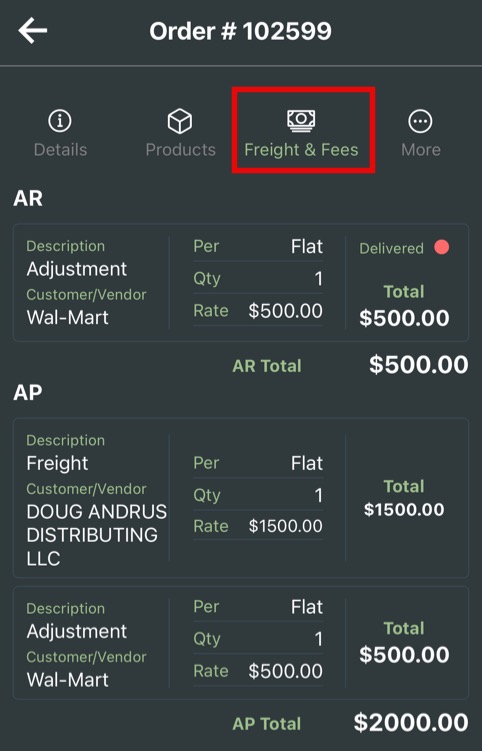
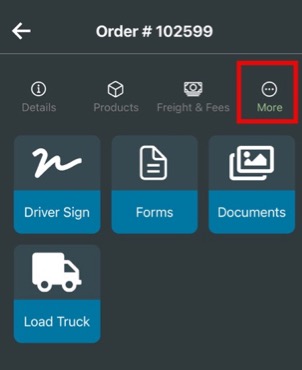
- Note: You need to download the new mobile app version from your mobile app store for the updates to show up. These new updates to the mobile app may not be live yet as we are waiting for app store approval.
May 2025: More Spanish Translations
Have added or enhanced Spanish translations:
- Order Board
- Navbar
- Carrier Edit Settings
- Assets Settings
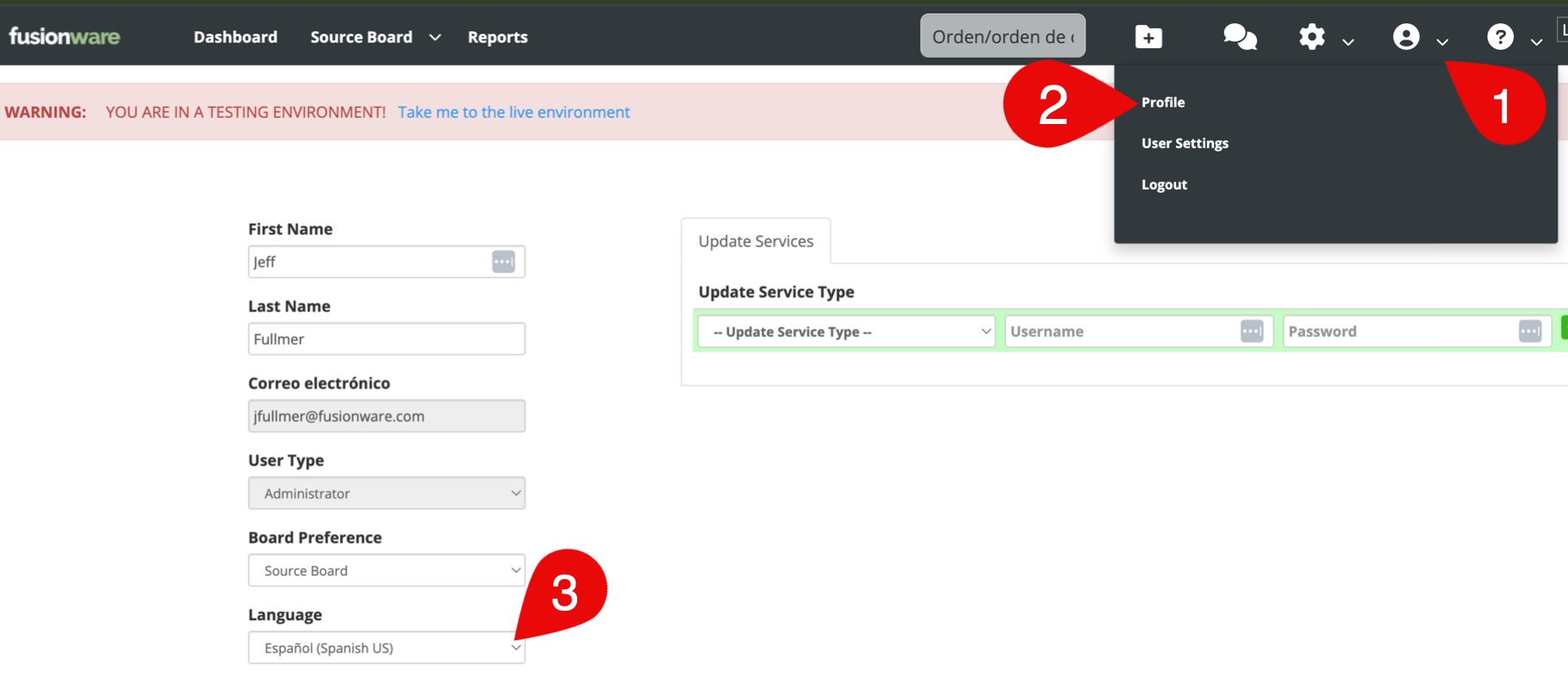
- User Profile
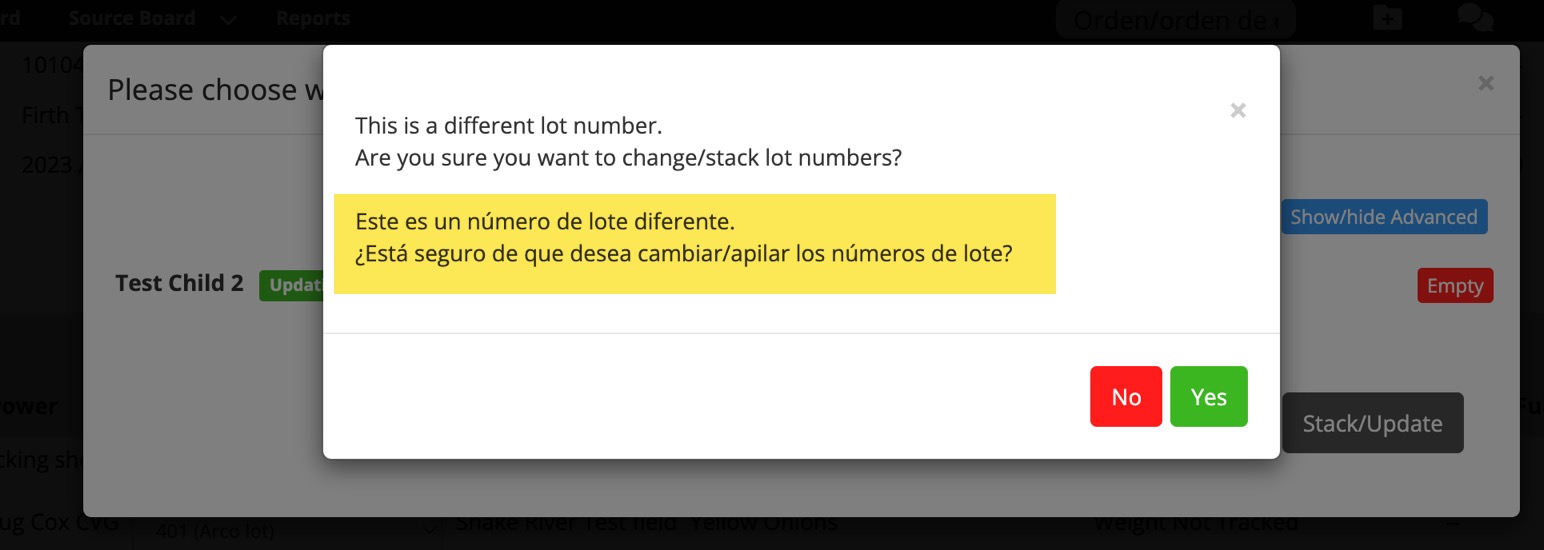
April 2025: Lot Stacking Warning - Spanish Addition
- If a user has the Spanish language selected in their profile they will see the Spanish translation in the popup warning in the source board when they change/stack a lot.
April 2025: Order Pallet Tag (ASN/SSCC Tags)
- We have made changes to the order pallet tag process to comply with Walmart’s requirements. Instead of needing to load the product first, we now calculate tags based on the order quantity divided by the units per pallet.
- This allows you to print the order tags at any time.
- Units per pallet are set in the settings for a product and the misc. tab.
- If you only need or want just 1 tag to print then leave the units per pallet blank for the product.
- Video overview HERE of the new changes.
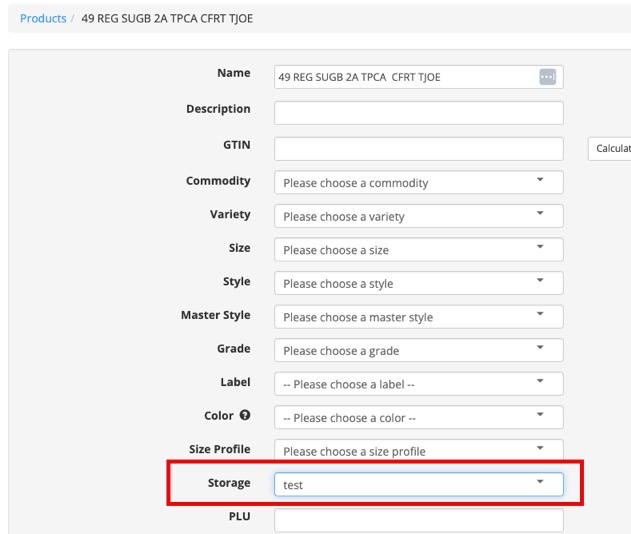
April 2025: Storage Label on Products
- Added the ability to assign a storage to a product.
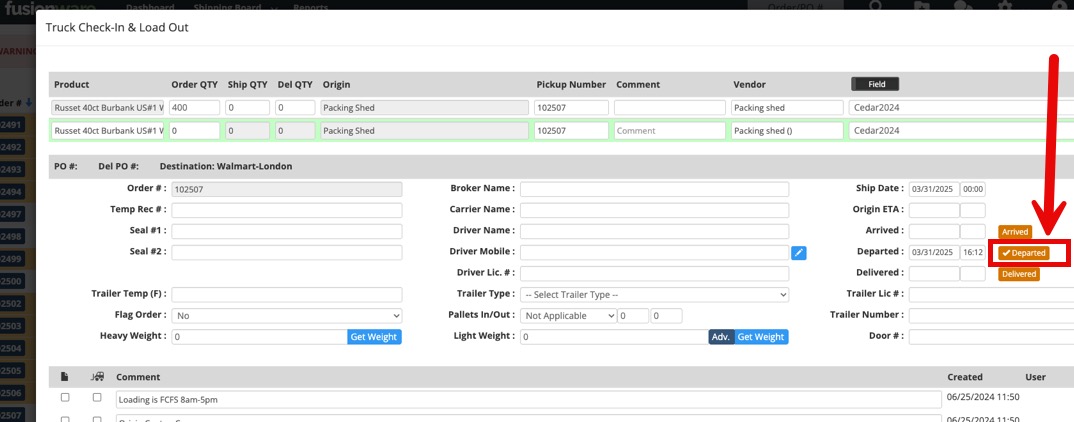
March 2025: Shipping Modal Departed Time/Date Button
- Added a one-click button to time/date stamp the Departed input on the Shipping Modal.
February 2025: Receivings Updates
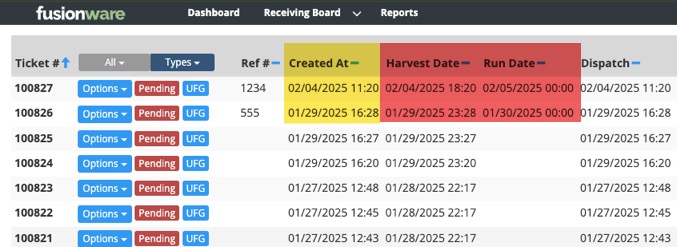
- Added clarity and additional date options to Receivings.
- On the Receiving Board added Run Date, Harvest Date, and changed “Date” to show as “Created At”. The Created At date is the date when the receiving is created. It is not adjustable.
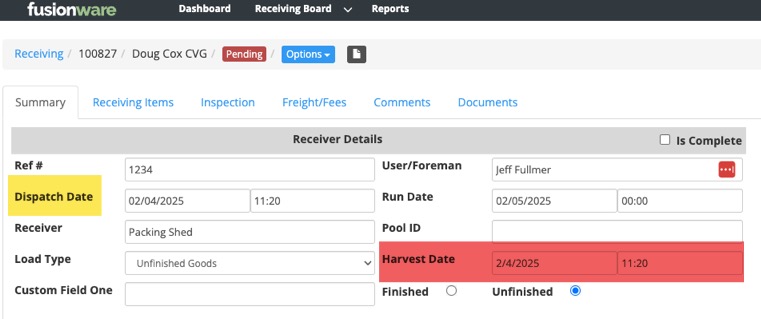
- In the Receiving Details we added a new date option for the Harvest Date.
- Changed the name “Date” to what it really is; “Dispatch Date”
January 2025: Add Receiving Number As Lot Number on Unfinished Goods
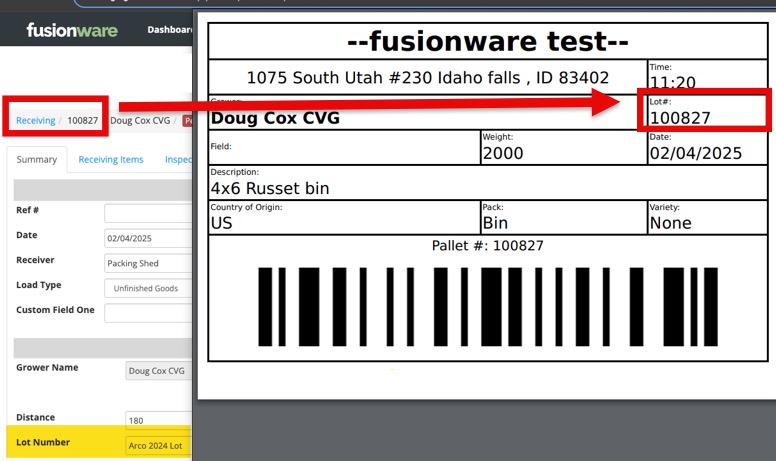
- We have added the ability to use the receiving number on a receiving as the lot # for an unfinished goods pallet/bin tag.
- This must be turned on by Fusionware Customer Support. Please reach out to us if you are interested.
January 2025: Inventory Board - All Locations Feature
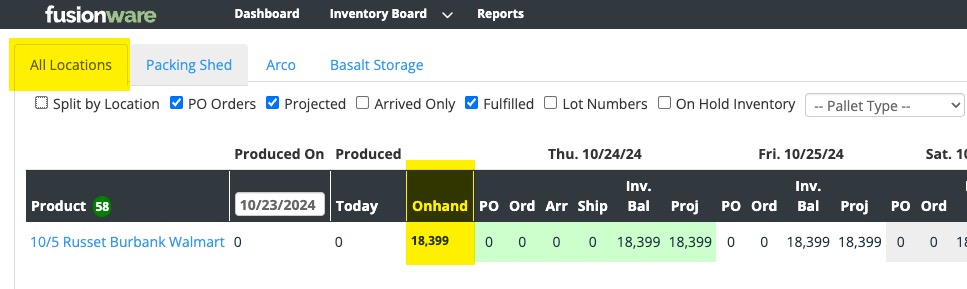
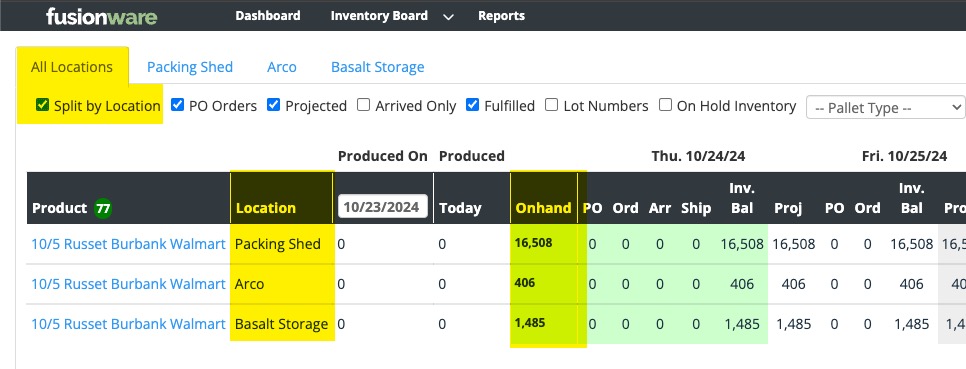
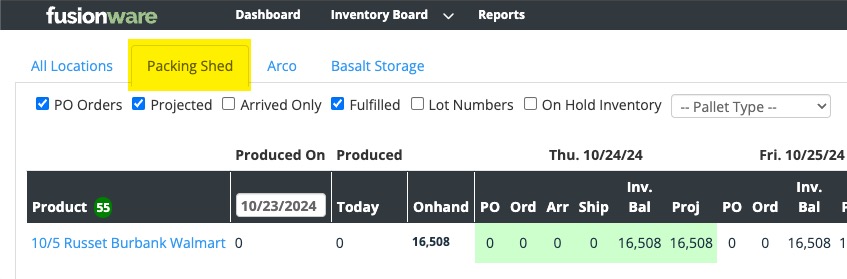
- You can now view all inventory from all locations combined in the Inventory Board.
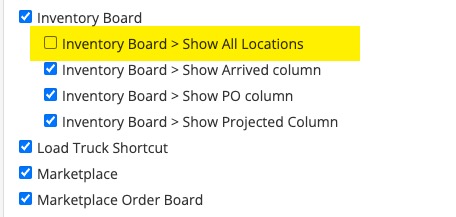
- A company admin will need to add this privilege to each user that wants to use it.