| 1. Add Settings |
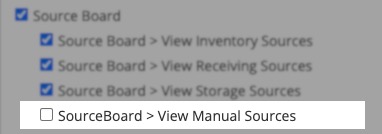 Make sure your company has this permission added to their account and then add it to each user you want to have access to it. Make sure your company has this permission added to their account and then add it to each user you want to have access to it. |
| 2. Field Locations |
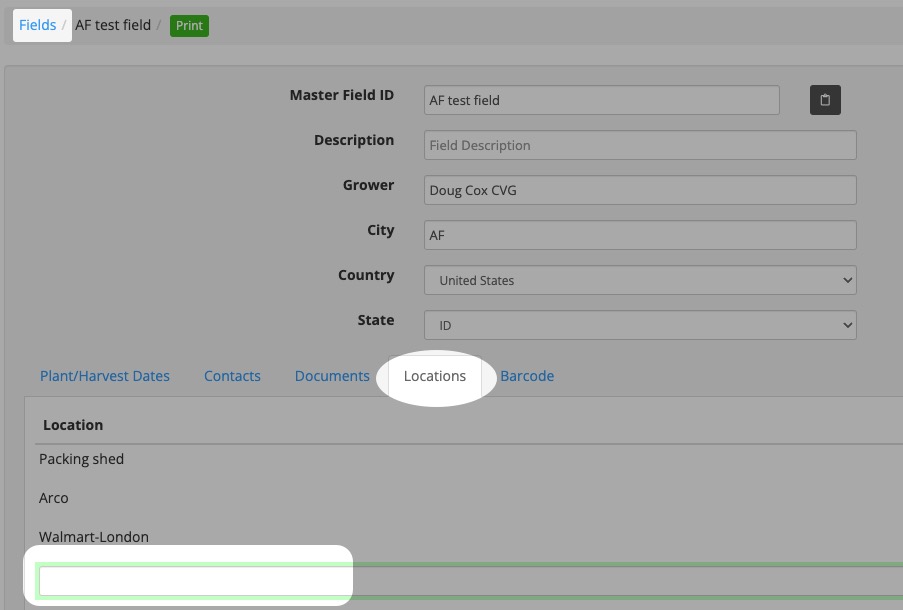 For each lot you want to manually have access to select, you need to go into the Locations tab of its Master Field and add the shed location you are packing at. For each lot you want to manually have access to select, you need to go into the Locations tab of its Master Field and add the shed location you are packing at. |
| 3. Shed Location |
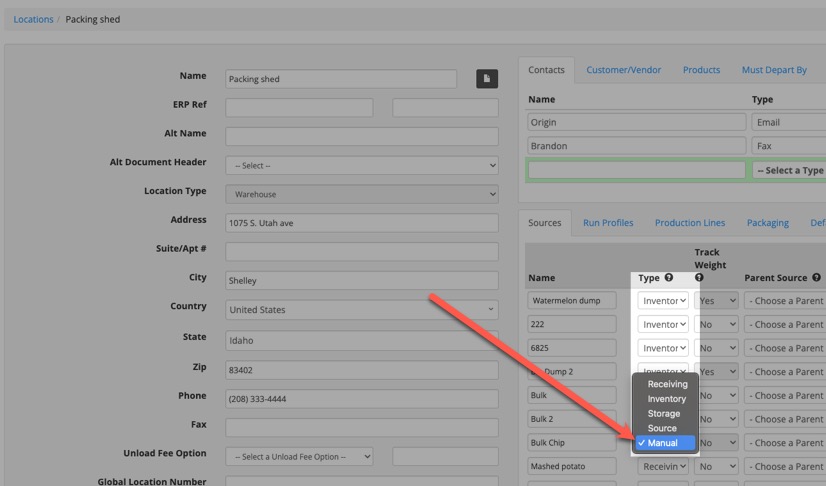 In your Shed Location you are packing at, select the source you want to be a manual lot selection and change its Type to “Manual”. Add that Source to a Production Line. In your Shed Location you are packing at, select the source you want to be a manual lot selection and change its Type to “Manual”. Add that Source to a Production Line. |
| 4. Production Board |
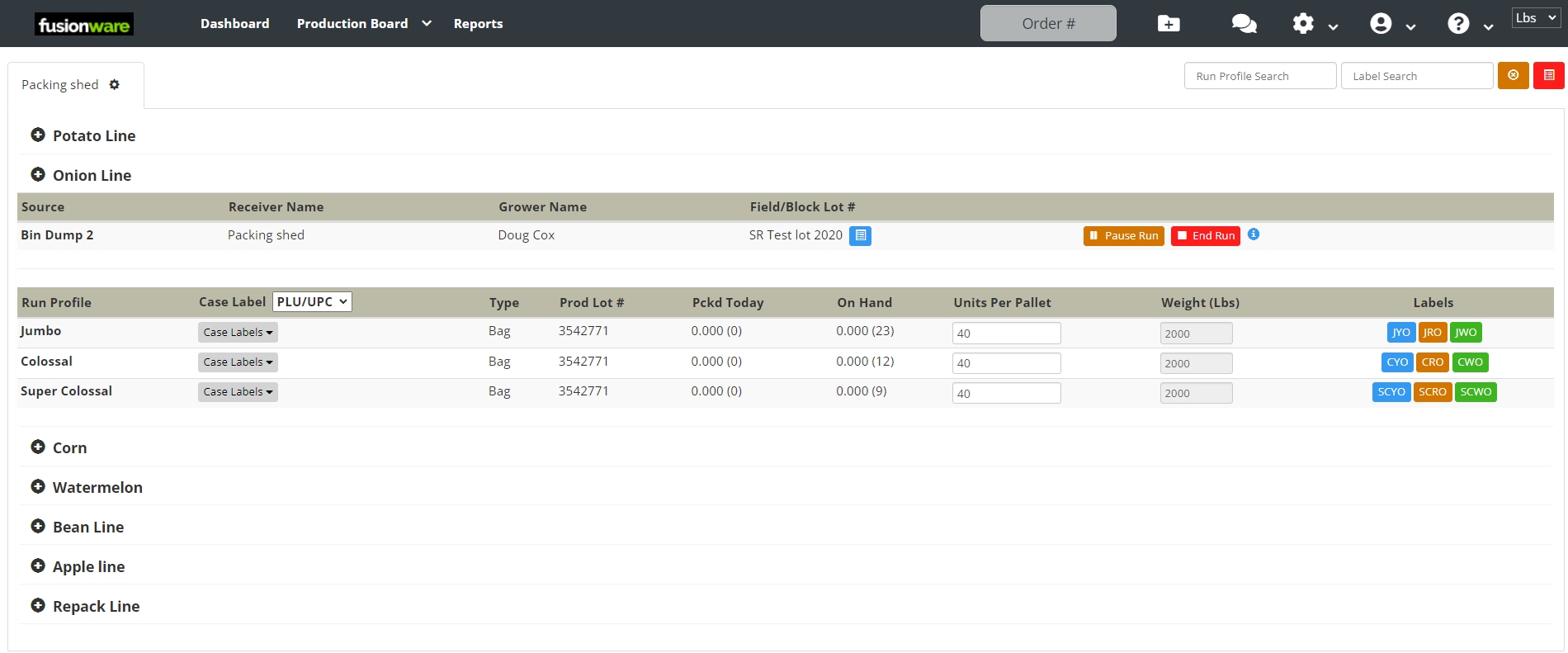
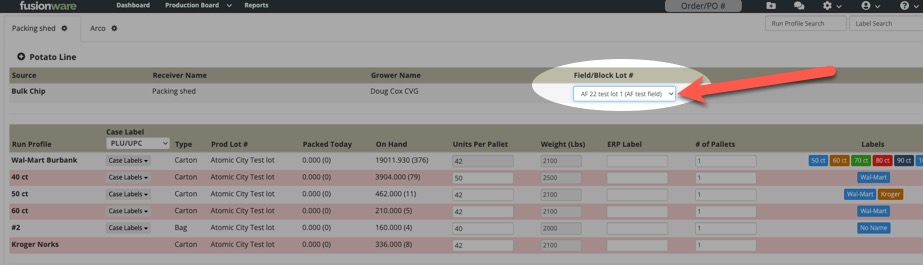 When you are on a Production Line and a Manual Source has been selected, you will now see a dropdown menu for that Shed with all the field lots tied to that location that are active. When you are on a Production Line and a Manual Source has been selected, you will now see a dropdown menu for that Shed with all the field lots tied to that location that are active. |