| “Ord” Ordered |
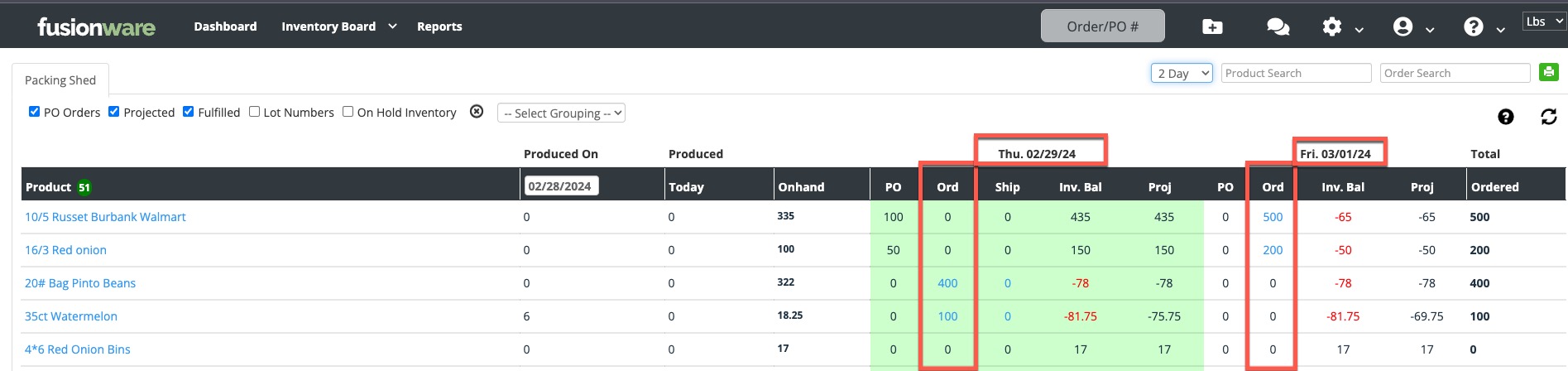 Shows the orders shipping for each product for each day. You can select the numbers in blue and a modal will pop up so you can see all the orders with that product shipping that make up that total. Shows the orders shipping for each product for each day. You can select the numbers in blue and a modal will pop up so you can see all the orders with that product shipping that make up that total. |
| Ship |
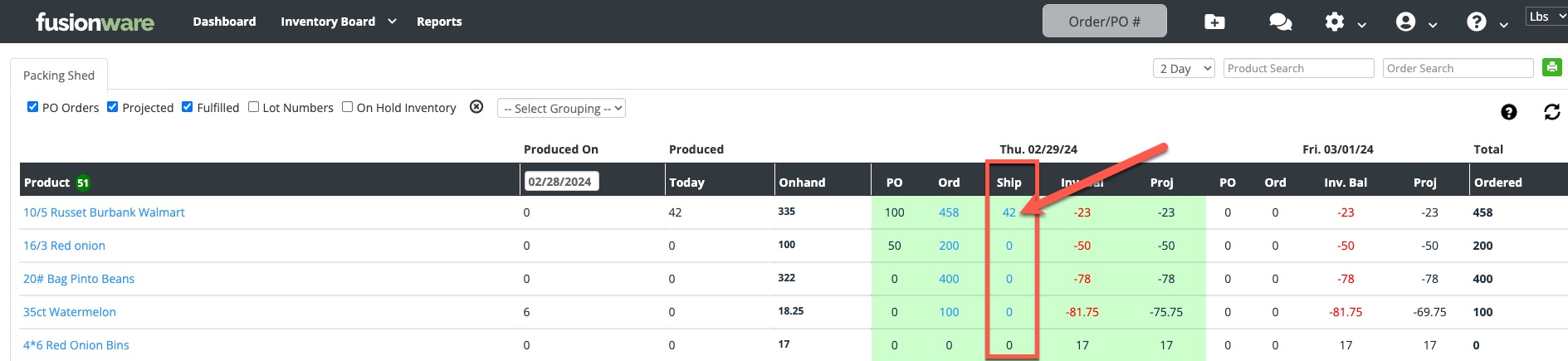 Shows what products have shipped today. This only shows for toady and for products that have been loaded onto an order that has a ship date of today. This ignores the order status. Shows what products have shipped today. This only shows for toady and for products that have been loaded onto an order that has a ship date of today. This ignores the order status. |
| Inv. Bal |
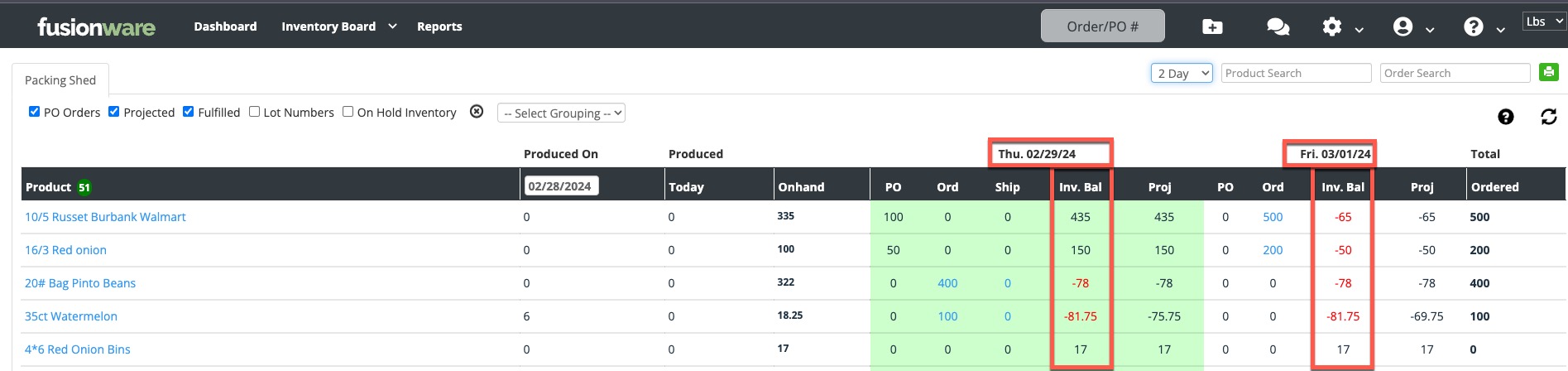 The Inv. Bal (Inventory Balance) column takes the Onhand inventory amount plus the amount coming in on the PO, minus the Ord and Ship amounts. For 02/29/24 you can see the totals that are in the black, indicating there is enough product to fulfill the orders for that day for that product. The negative numbers in red show how much product is required for that day to fulfill the orders shipping on that day. There is enough product to fulfill the orders for 02/29/24 for the 10/5 Russets and 16/3 Red Onions. However, for Friday 03/01/24 there are additional orders that put the product inventory into the red. To expand the number of days (up to 7 days ahead) select the number of days you would like to see projected in the dropdown at the top of the screen. The Inv. Bal (Inventory Balance) column takes the Onhand inventory amount plus the amount coming in on the PO, minus the Ord and Ship amounts. For 02/29/24 you can see the totals that are in the black, indicating there is enough product to fulfill the orders for that day for that product. The negative numbers in red show how much product is required for that day to fulfill the orders shipping on that day. There is enough product to fulfill the orders for 02/29/24 for the 10/5 Russets and 16/3 Red Onions. However, for Friday 03/01/24 there are additional orders that put the product inventory into the red. To expand the number of days (up to 7 days ahead) select the number of days you would like to see projected in the dropdown at the top of the screen. |
| “Proj” Projected |
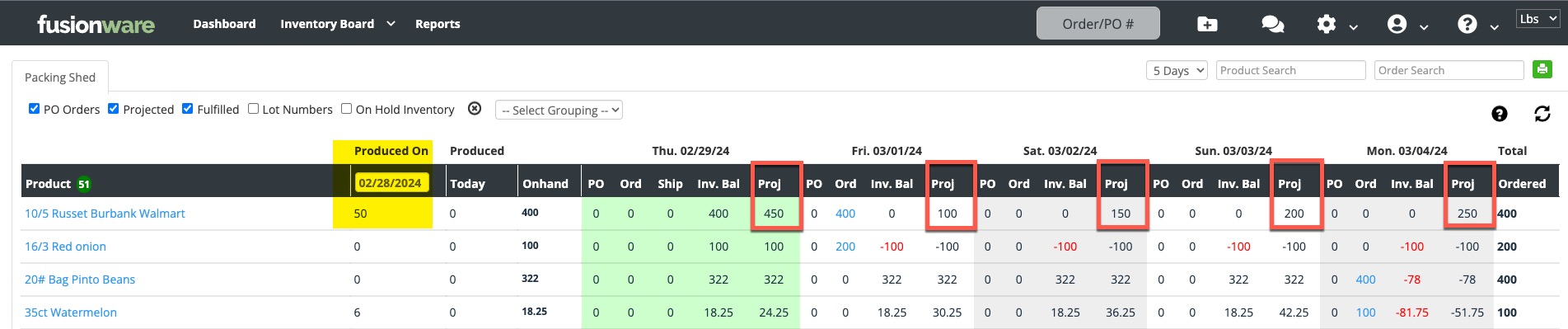 The Proj (Projected) column is a production estimation that allows you to select any day you produced products and project out what that will do for your upcoming week if you produce that same amount each day. In this example, the Produced On is set for a day that the 10/5 Russets produced 50 units. It then is projected that you are going to produce that same amount for today. It is then added to your current inventory totals for today in the Proj column. Every day of the week the Projection is that you will produce 50 units of that product every day and it is then added to the Proj total. If there are orders shipping on that day it will deduct those totals from the projected amount. This will help you to estimate how much of each product you will need each day based on a previous day that you ran. It can be especially helpful to use the “Select Grouping” to group similar sized products together. An example here would be to group all your 10/5 Russets, instead of just the Walmart label, to project what you can produce for all your 10/5 labels. The Proj (Projected) column is a production estimation that allows you to select any day you produced products and project out what that will do for your upcoming week if you produce that same amount each day. In this example, the Produced On is set for a day that the 10/5 Russets produced 50 units. It then is projected that you are going to produce that same amount for today. It is then added to your current inventory totals for today in the Proj column. Every day of the week the Projection is that you will produce 50 units of that product every day and it is then added to the Proj total. If there are orders shipping on that day it will deduct those totals from the projected amount. This will help you to estimate how much of each product you will need each day based on a previous day that you ran. It can be especially helpful to use the “Select Grouping” to group similar sized products together. An example here would be to group all your 10/5 Russets, instead of just the Walmart label, to project what you can produce for all your 10/5 labels. |
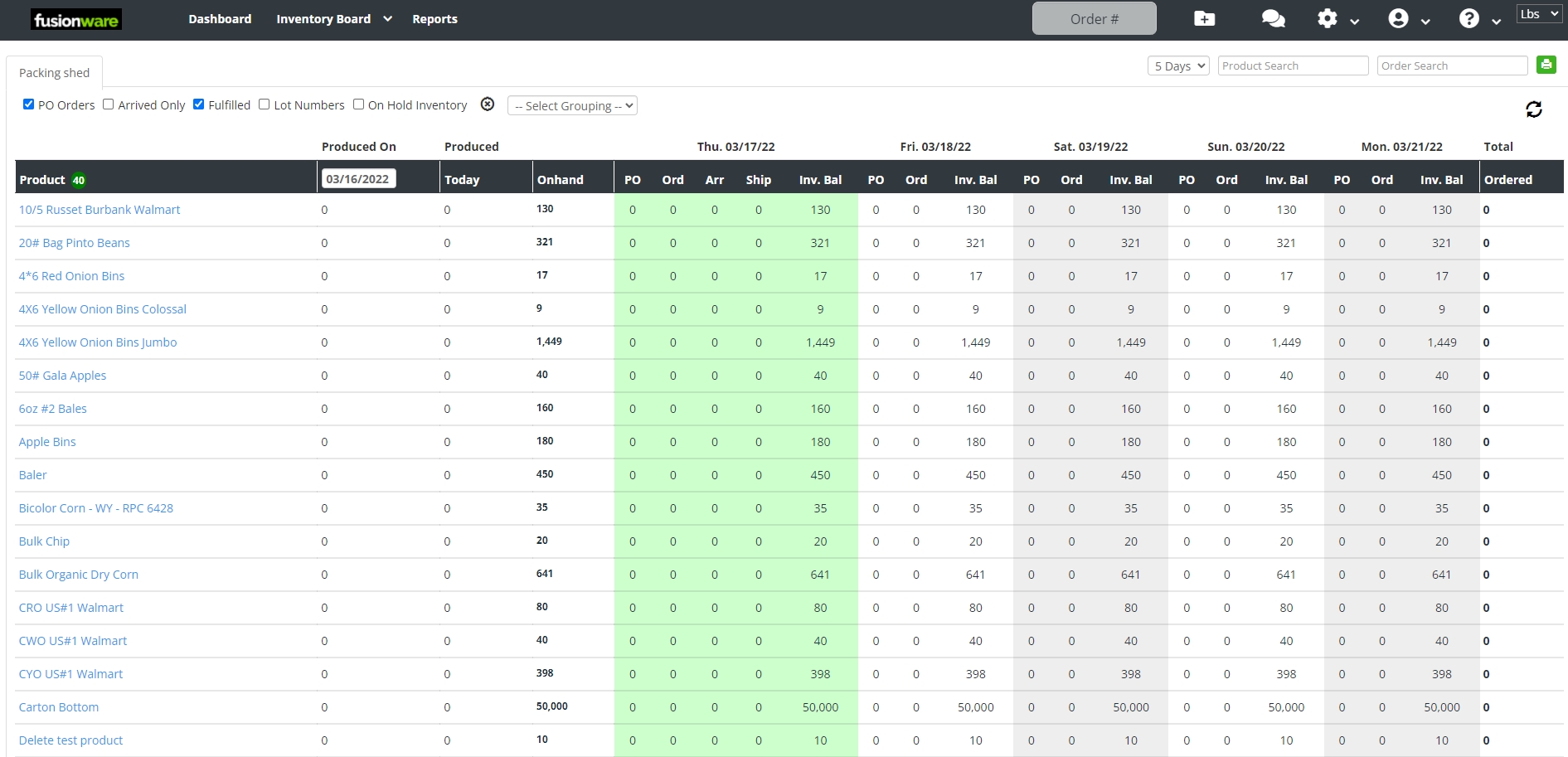
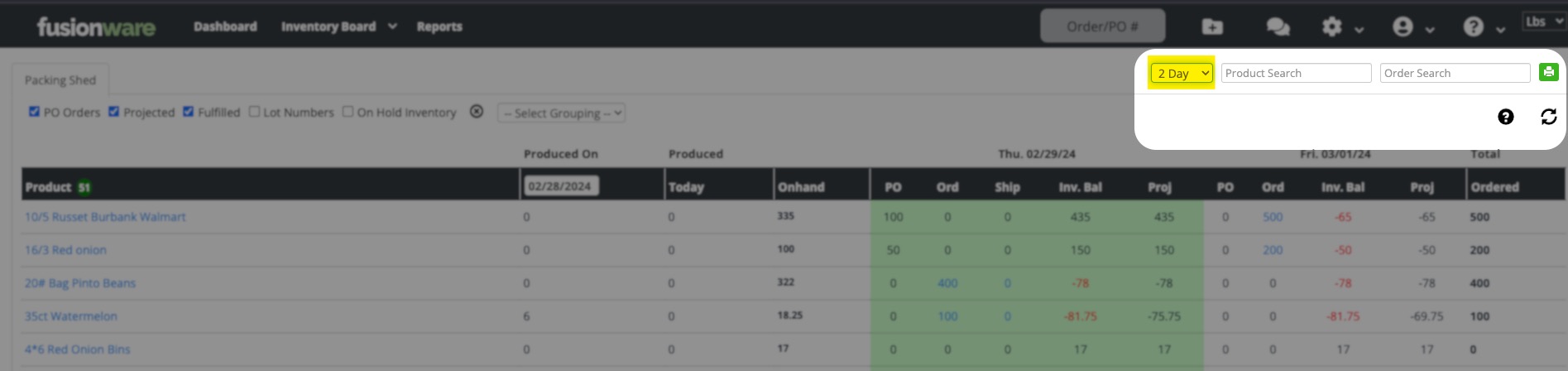 Dropdown box shows the days ahead you want to look at, up to 7 days.
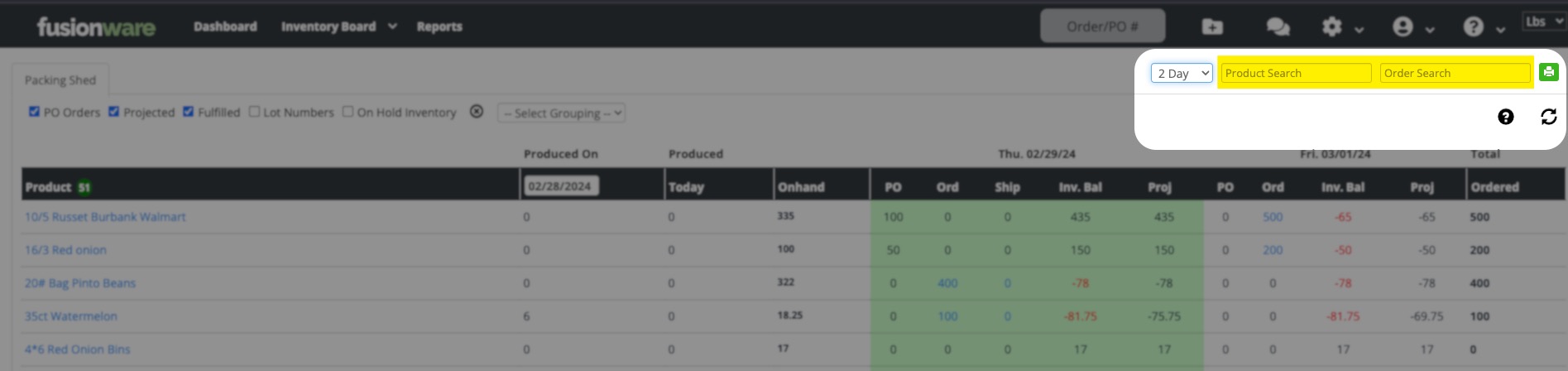 Narrow down the product list by Product and or Order search
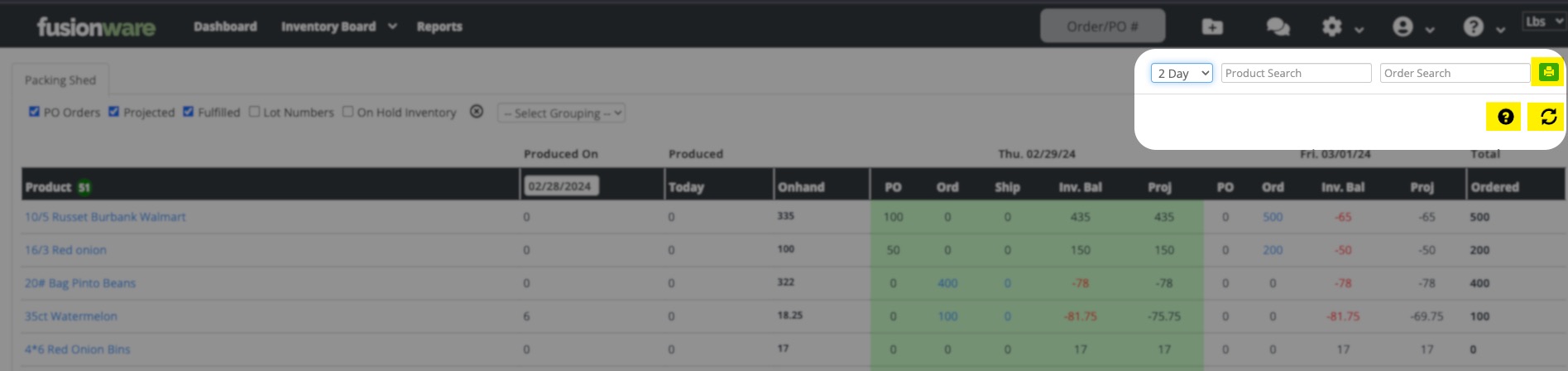 The printer icon allows you to print your Inventory Board so you can have a hard copy. The question mark is a shortcut to this support page section. The refresh button will update your totals so you do not have to refresh your browser and lose any filters you may have applied.
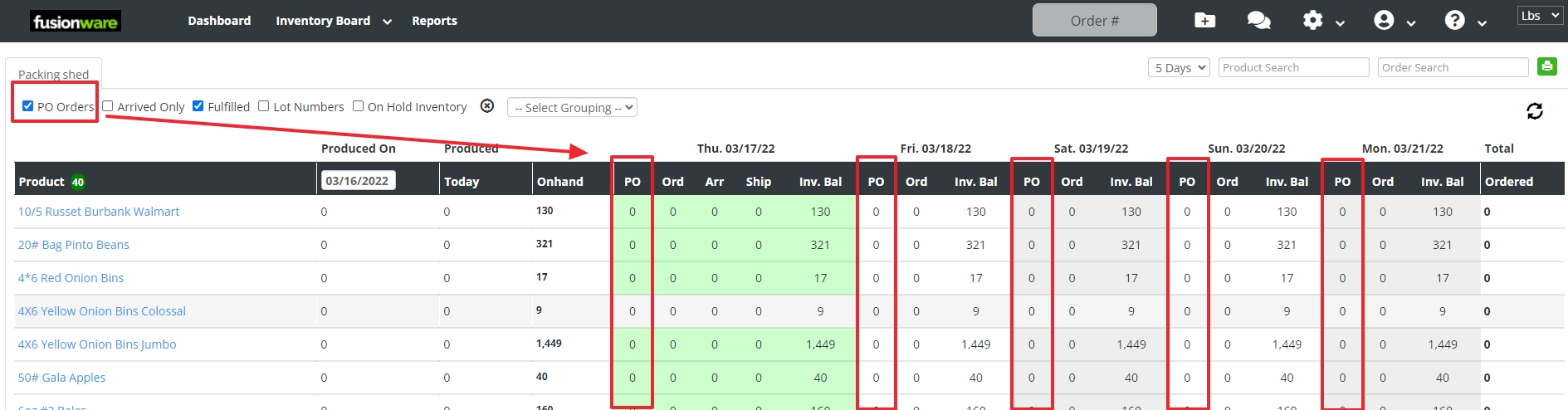 This allows you to show and hide product coming in on a purchase order.
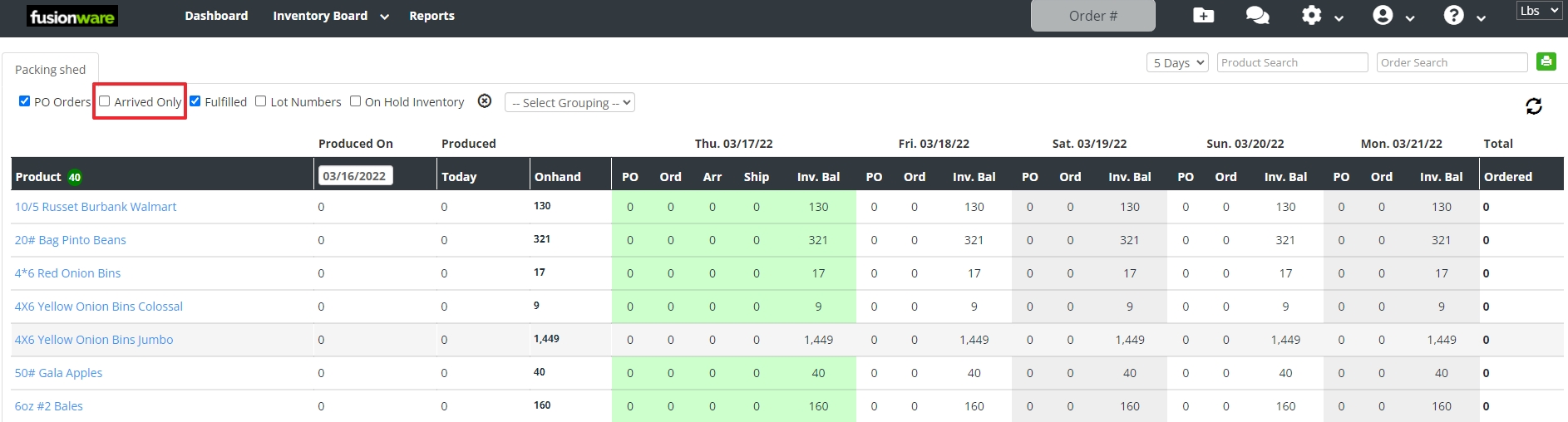 This allows you to only show what is needed for the trucks that have already arrived.
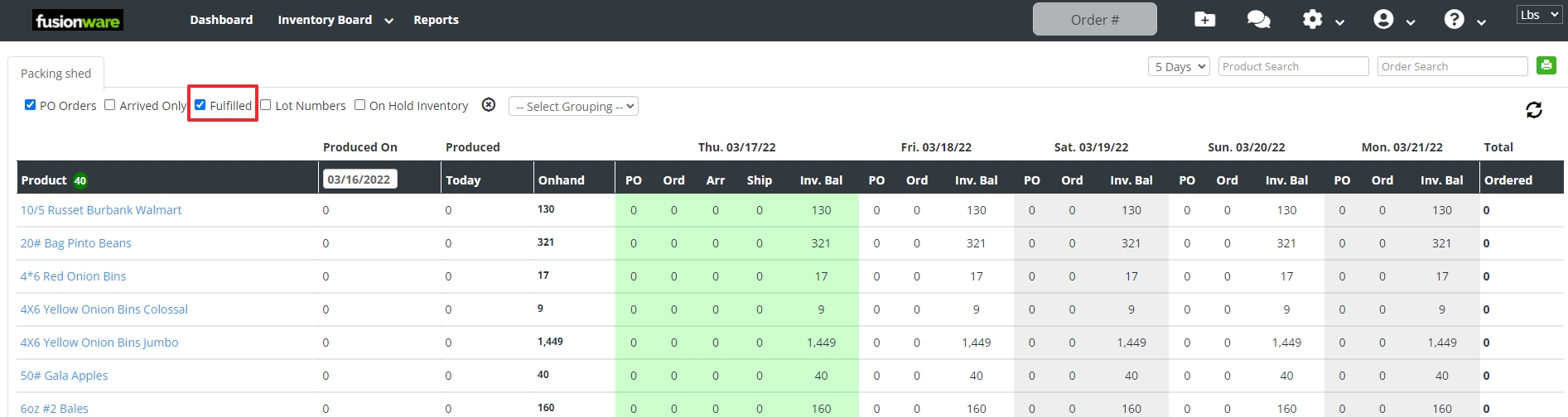 This will show or hide the orders that have already been fulfilled.
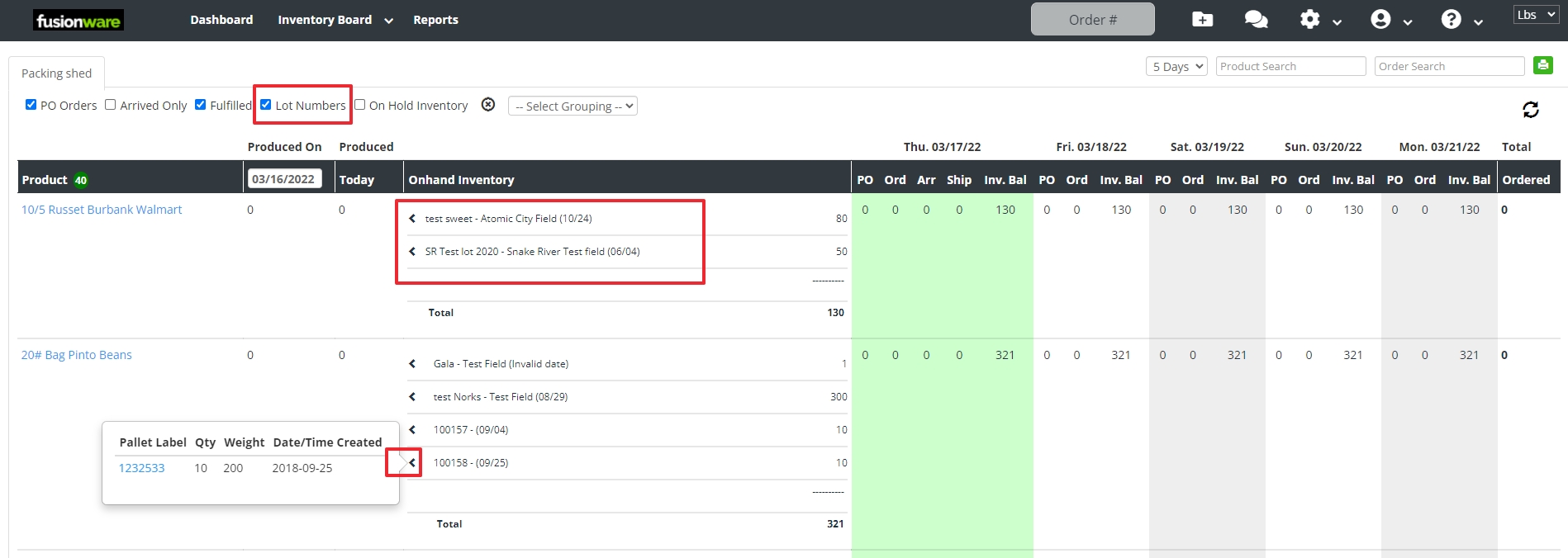 This shows the detail of the product by lot and pack date.
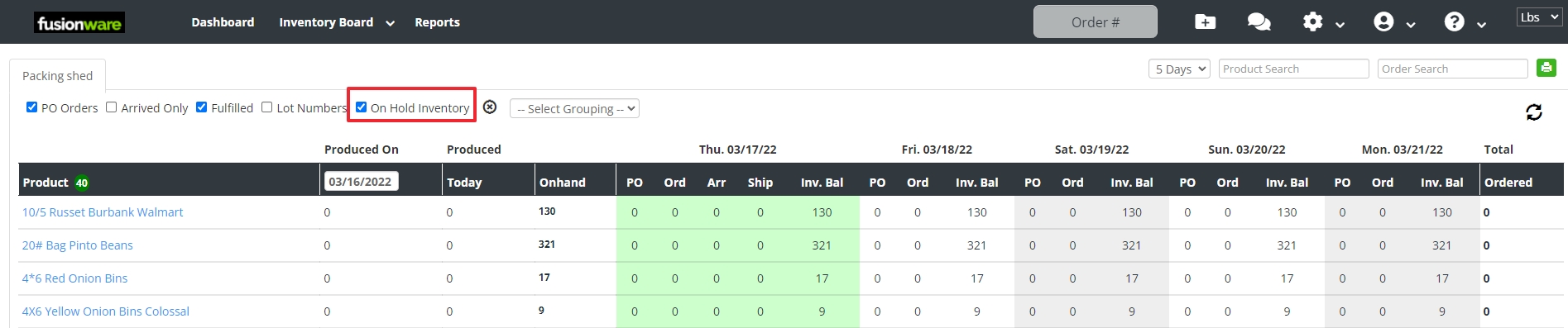 This shows or hides the inventory that has been put on hold.
 This allows you to group the products by the different Product settings (Commodity, Variety, Size, Style, Grade, Label)