Farm Planning Software
John Deere Software
Click to expand
| Step | Image - Select Image to Expand |
|---|---|
| 1 of 10 Select Settings, Company Profile, and then Integrations | 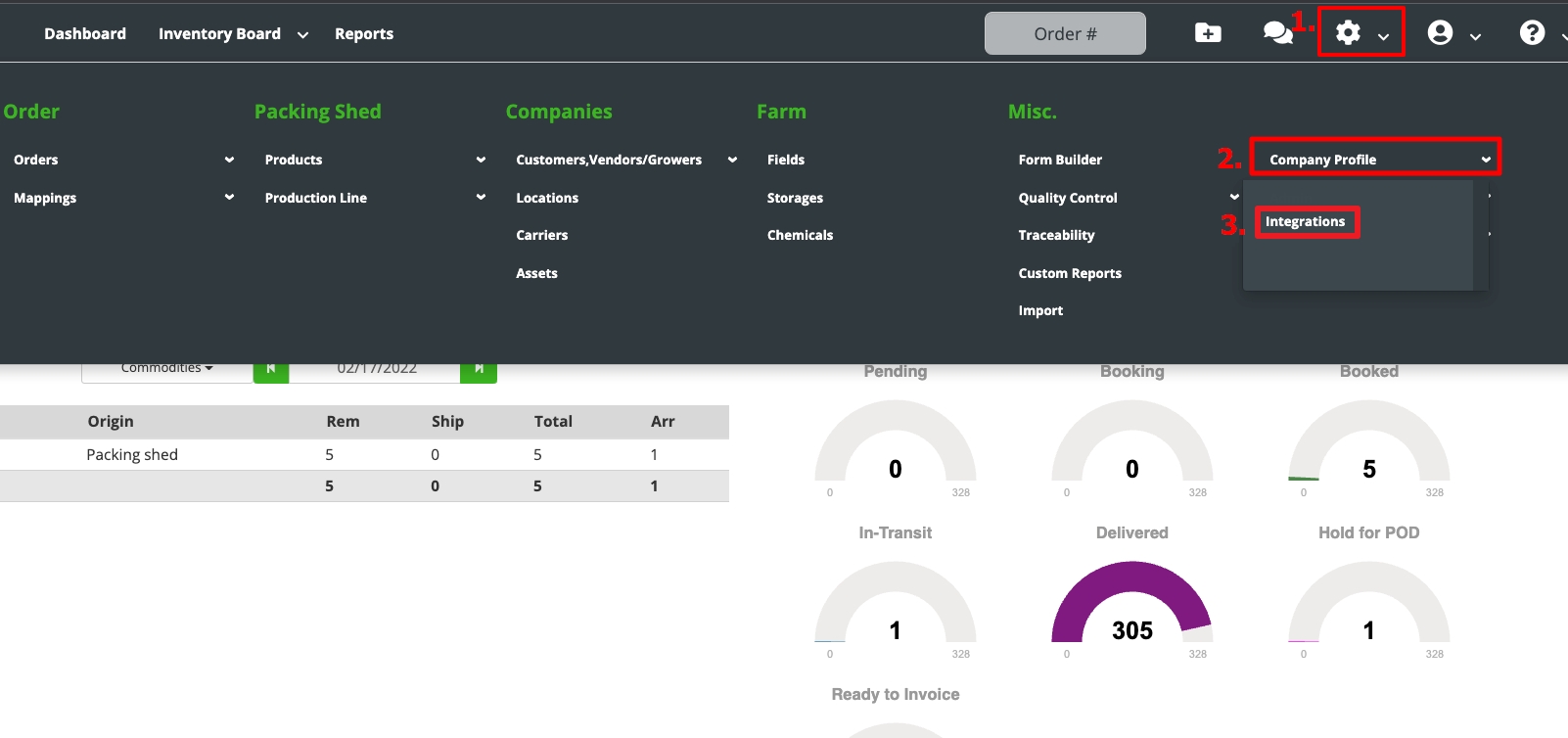 |
| 2 of 10 Contact Fusionware Support to proceed further if you see this instead of just a “Connect” button | 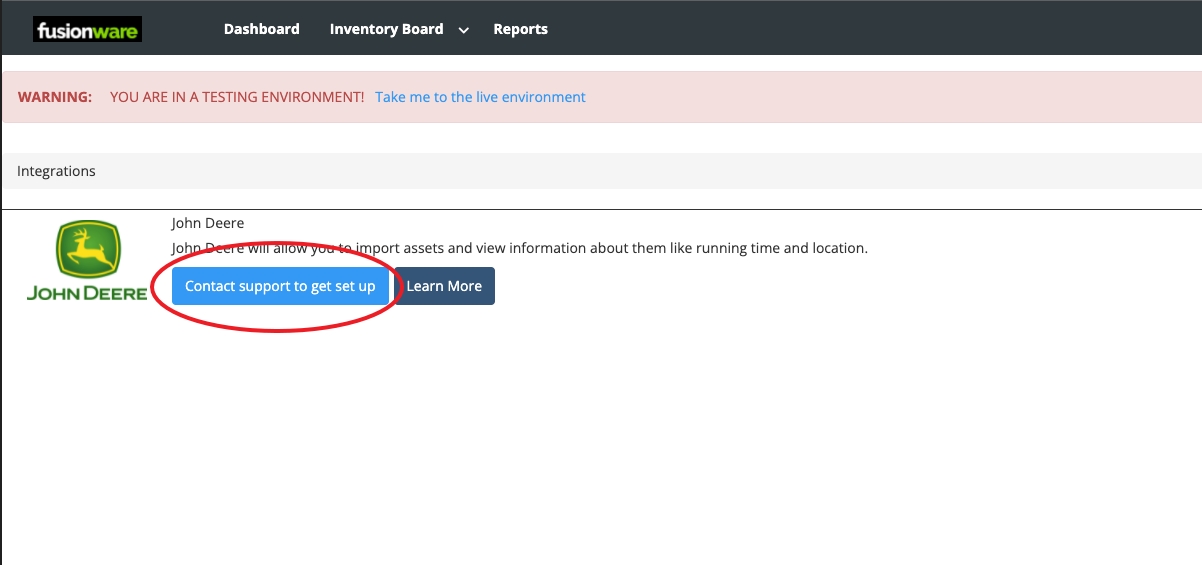 |
| 3 of 10 Select the Connect button | 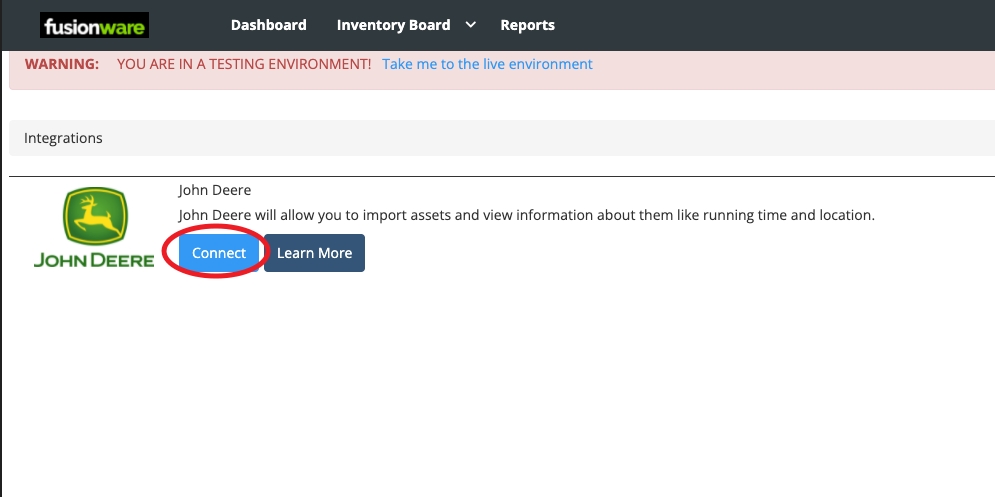 |
| 4 of 10 Sign Into John Deere in the pop-up | 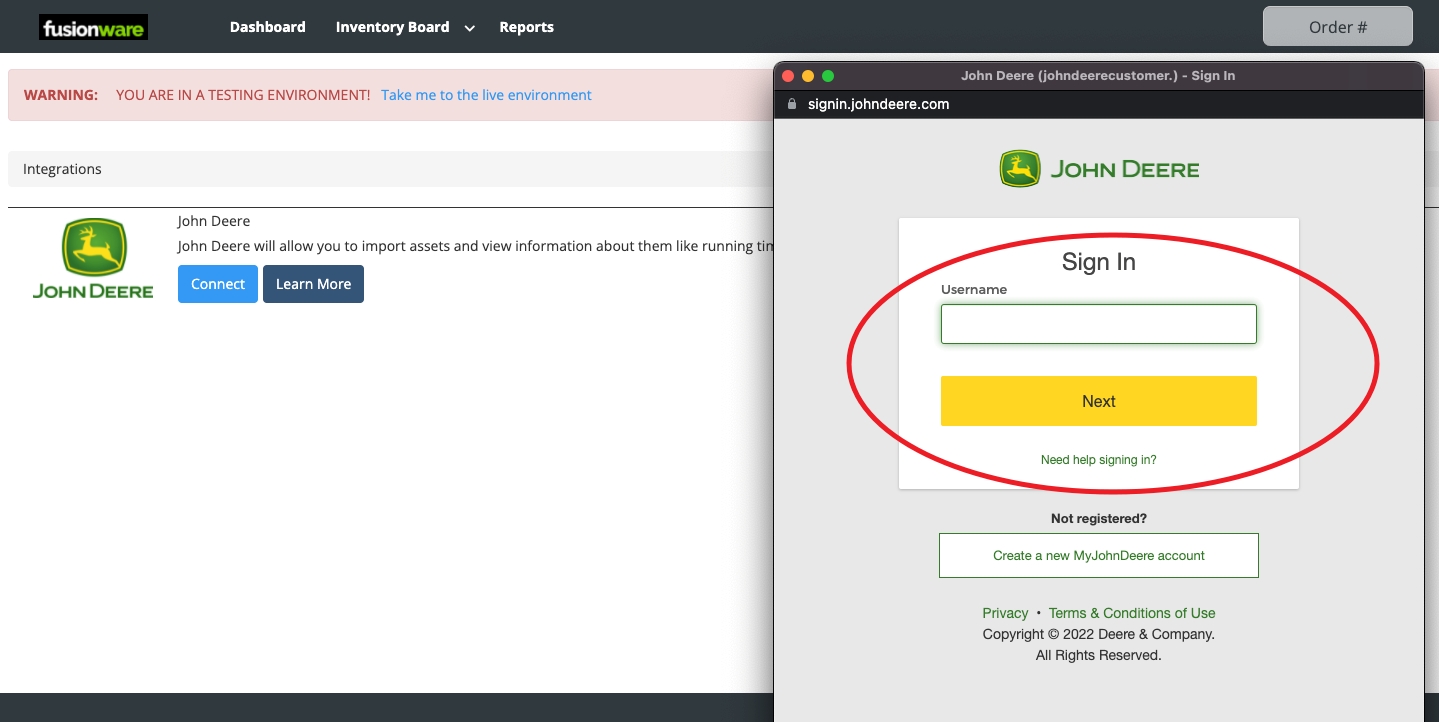 |
| 5 of 10 Select the “Allow Access” button in the John Deere pop-up | 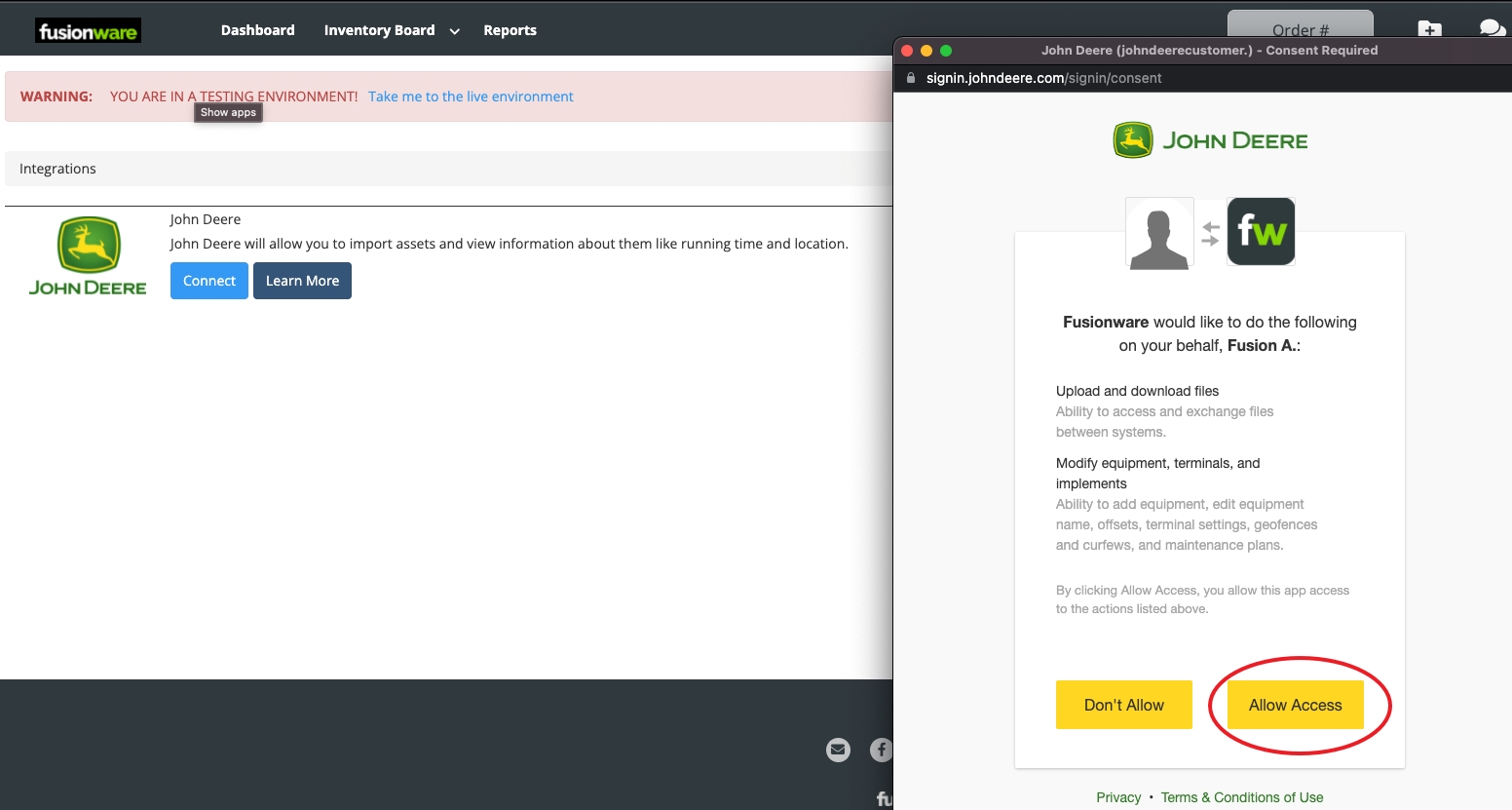 |
| 6 of 10 Select the “Connect” button in the status column to connect each John Deere organization you want to sync with Fusionware | 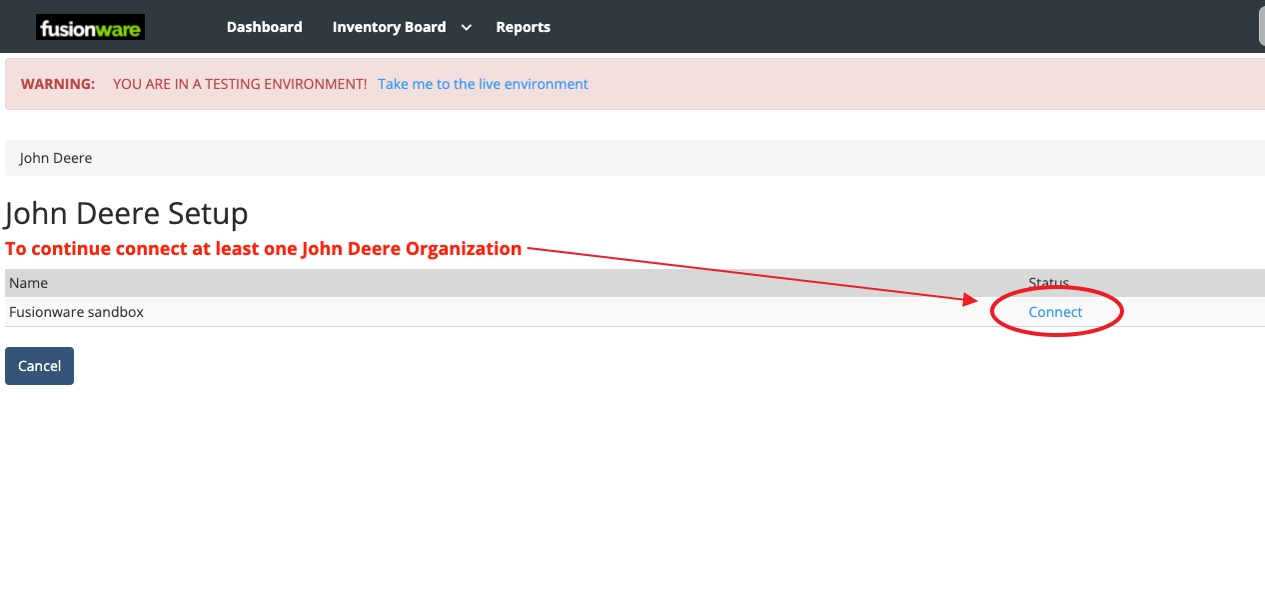 |
| 7 of 10 Verify that in your John Deere profile that you have selected the John Deere organization you want connected to Fusionware & select Save | 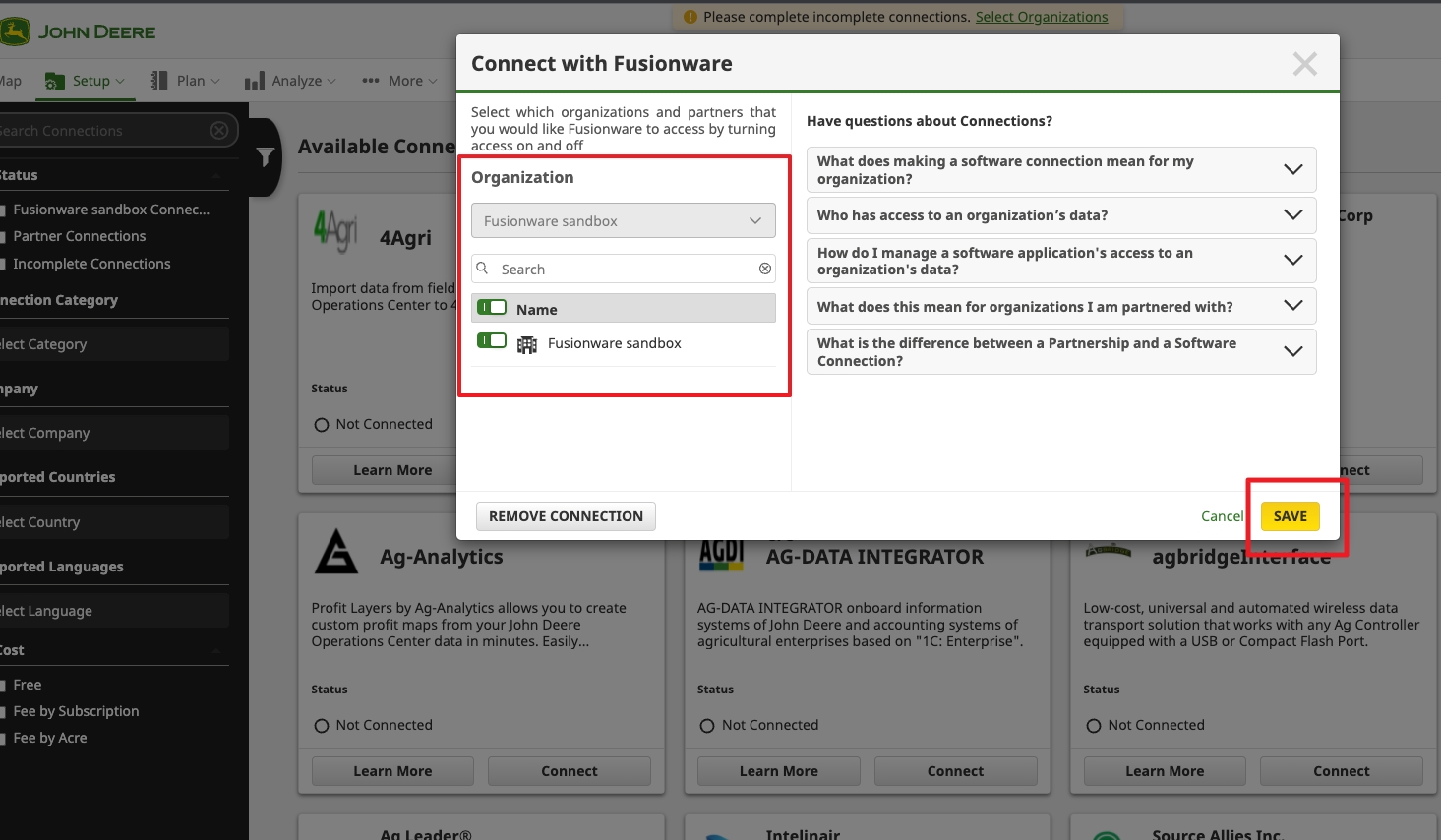 |
| 8 of 10 Verify that your organization is connected to Fusionware in the John Deere profile | 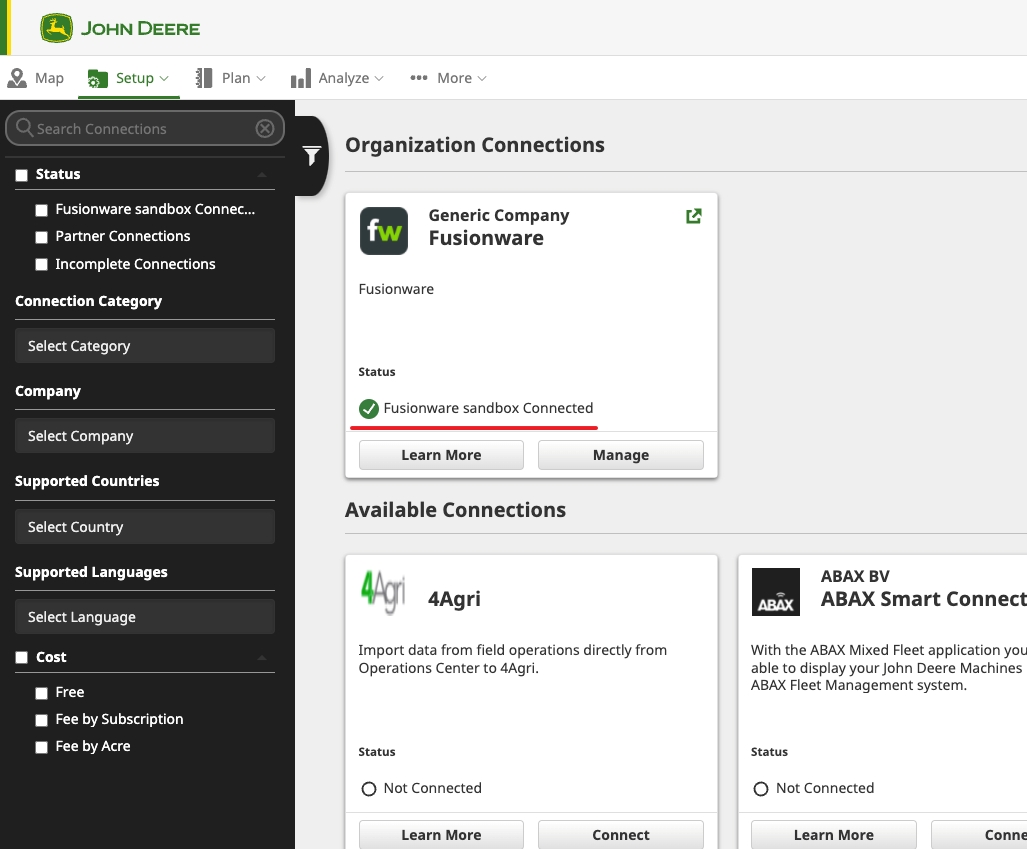 |
| 9 of 10 Verify that inside Fusionware you get the connection notice with John Deere | 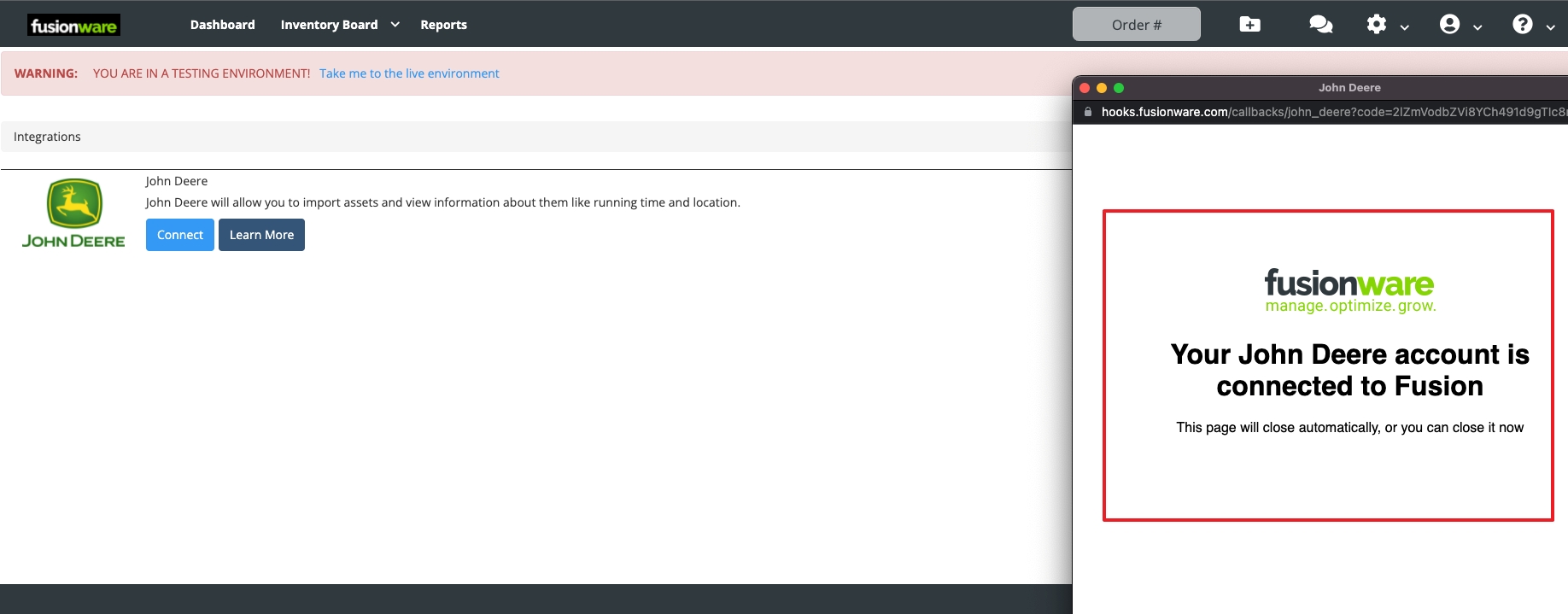 |
| 10 of 10 Verify the John Deere organizations sync preference | 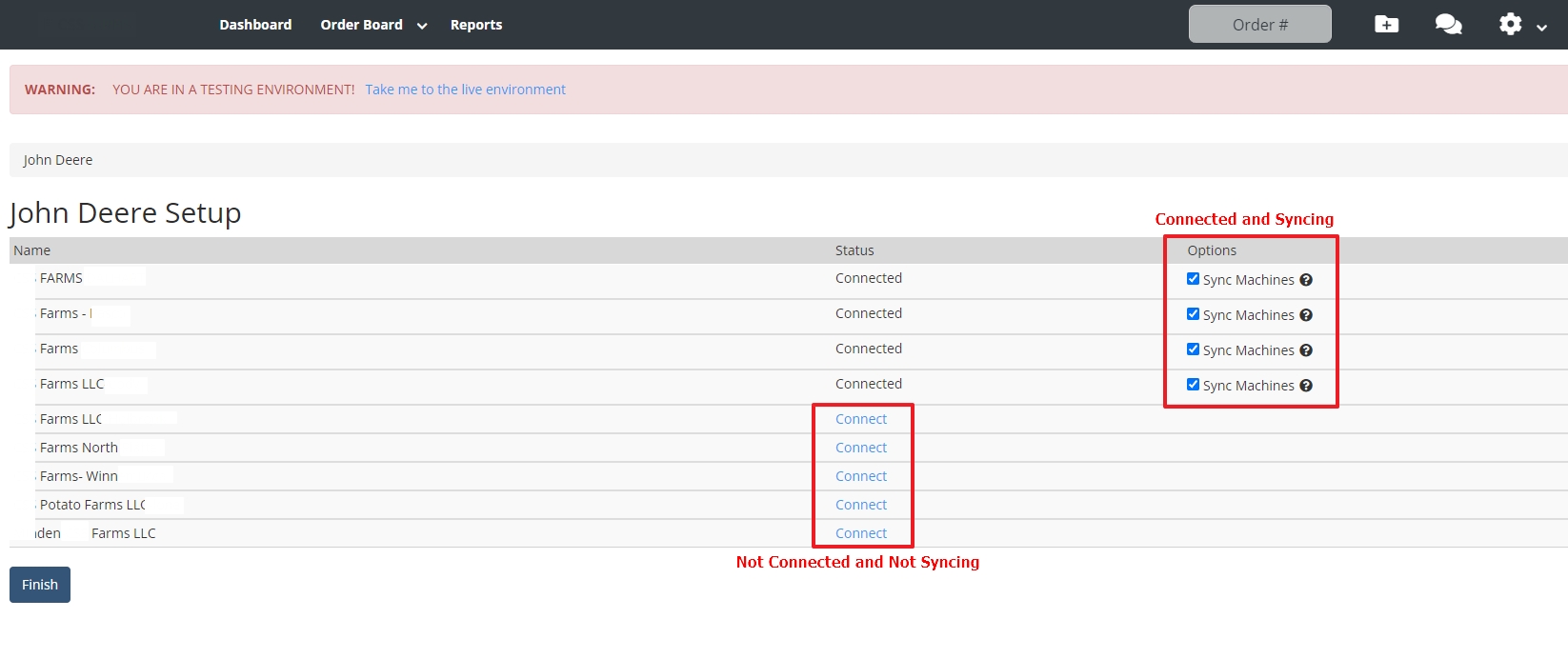 |