Order Board
Order Board Details
| Order Board | Order Board Image - Click The Image To Expand |
|---|---|
| Order Board Page | “No Orders Found” means you need to adjust your filters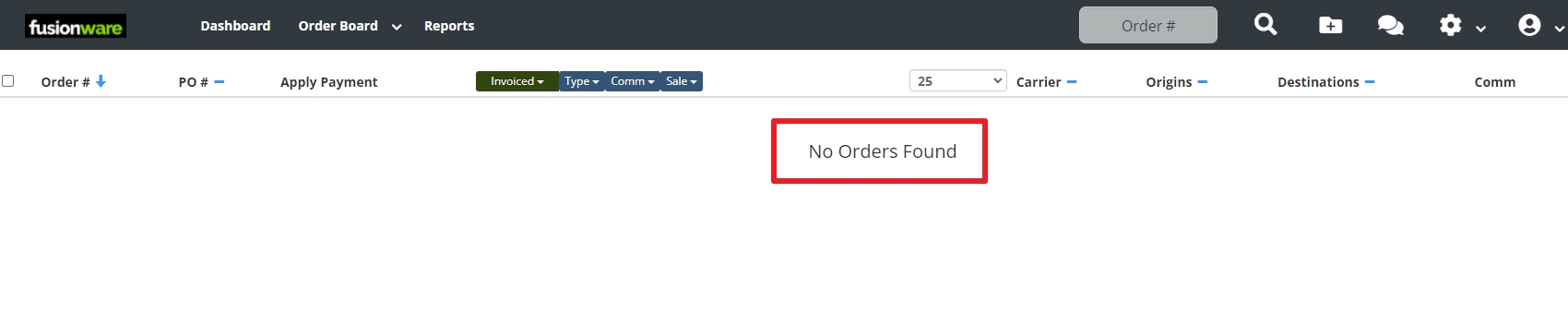 |
| Magnifying Glass | To see the filters hover over the magnifying glass. Click it to pin it to the top menu 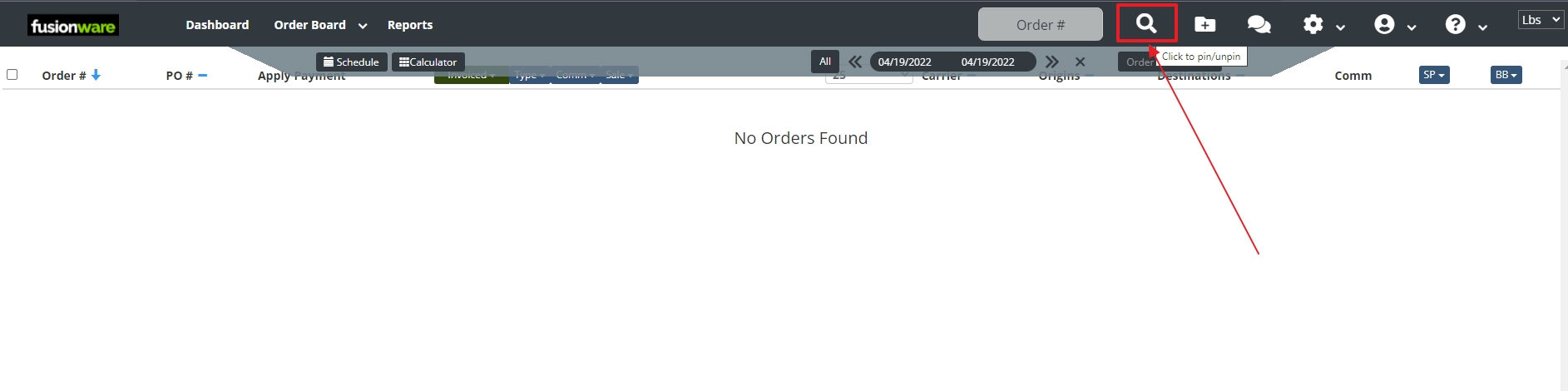 |
| Filter Adjustments | To see orders adjust the date filter to include order dates in Fusionware. You can also filter orders by typing in different order details in the Order Search 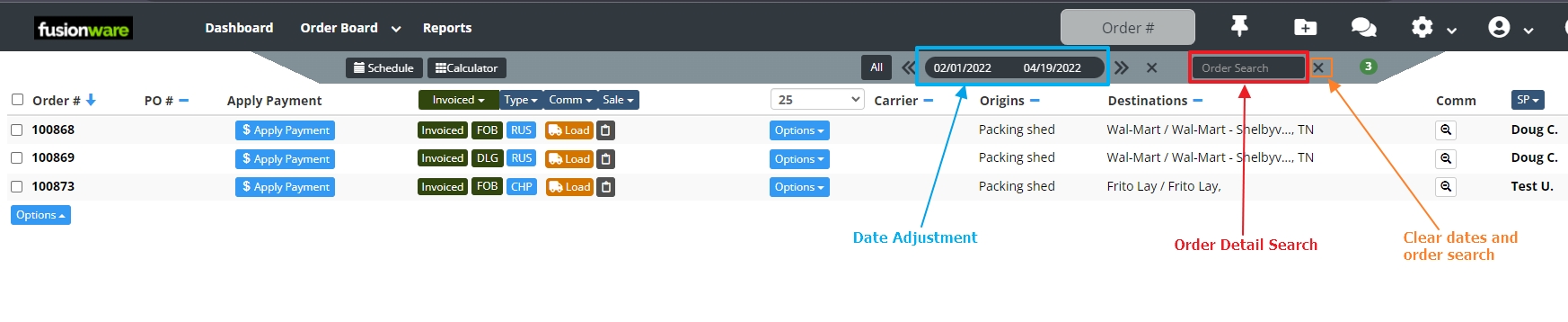 |
| Column Headers | The blue arrow next to the “Order #” indicates the Order Board is being sorted by the Order # column (this is the default setting). Arrow down means smallest number to largest. Select the arrow to change to largest to smallest number. Select a blue dash in a different column header to sort by that column. The arrow will move to that column. 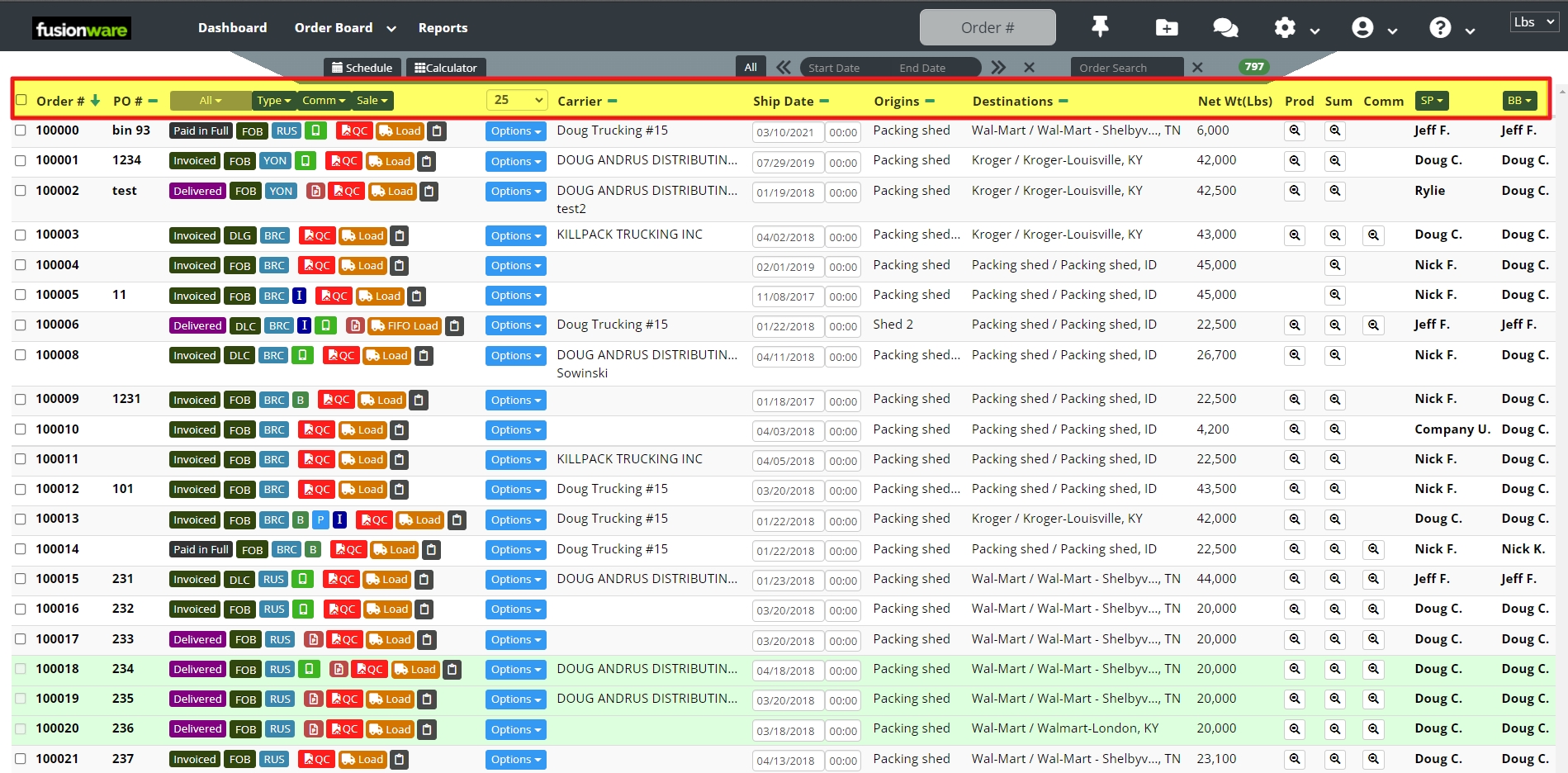 |
| Add/Remove Columns (In User Settings) | Adding or removing columns can be done in the user settings. Please contact your company admin if you do not have access to adjust these column’s yourself 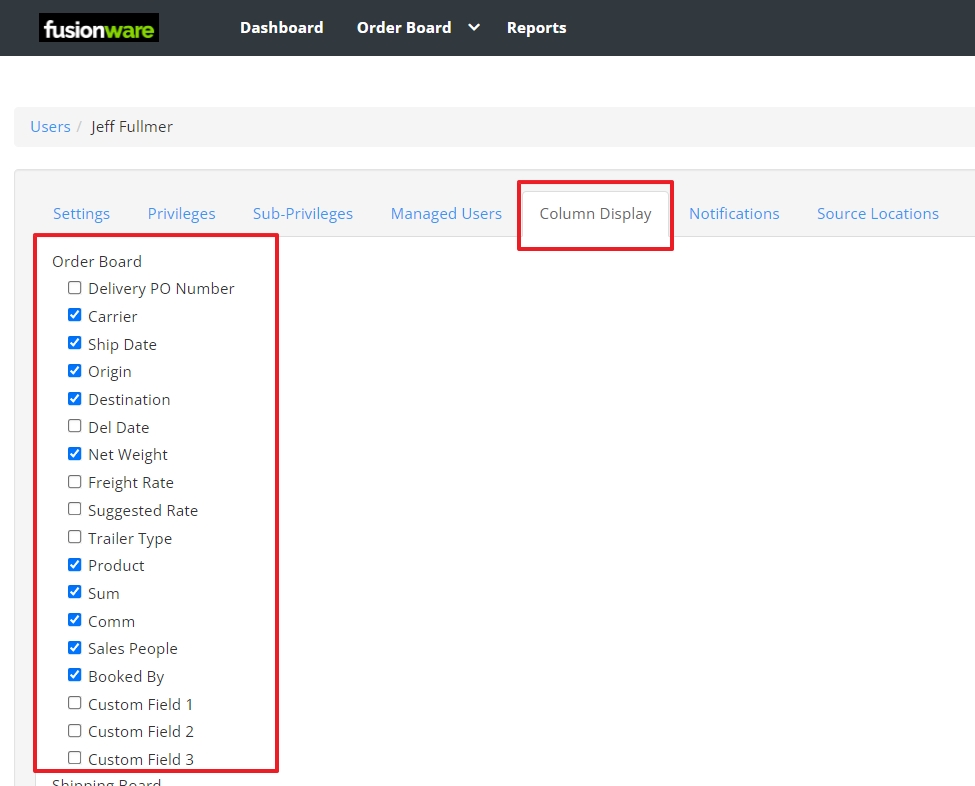 |
| Sort By Order Status | 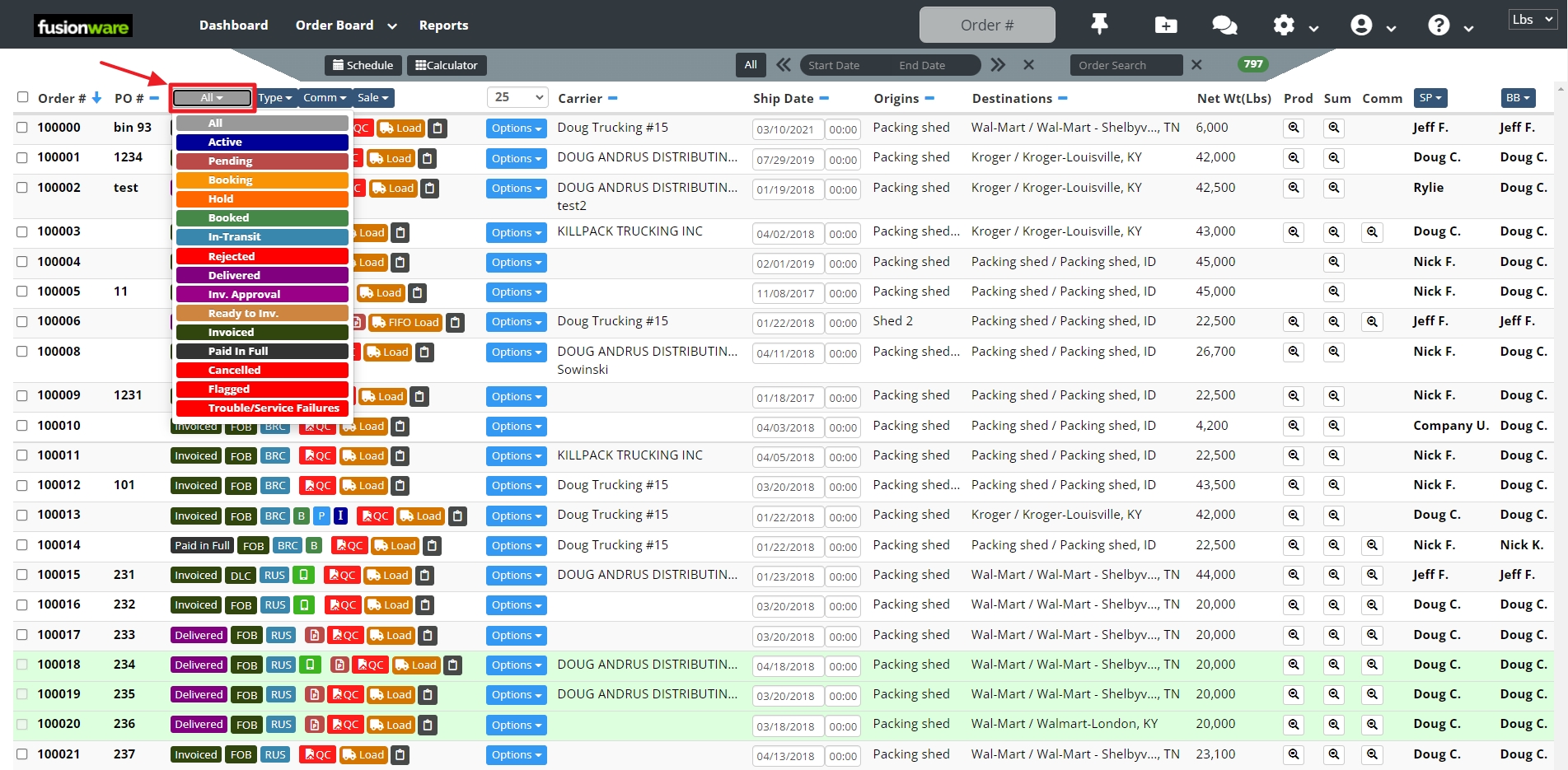 |
| Filter By Order Type | 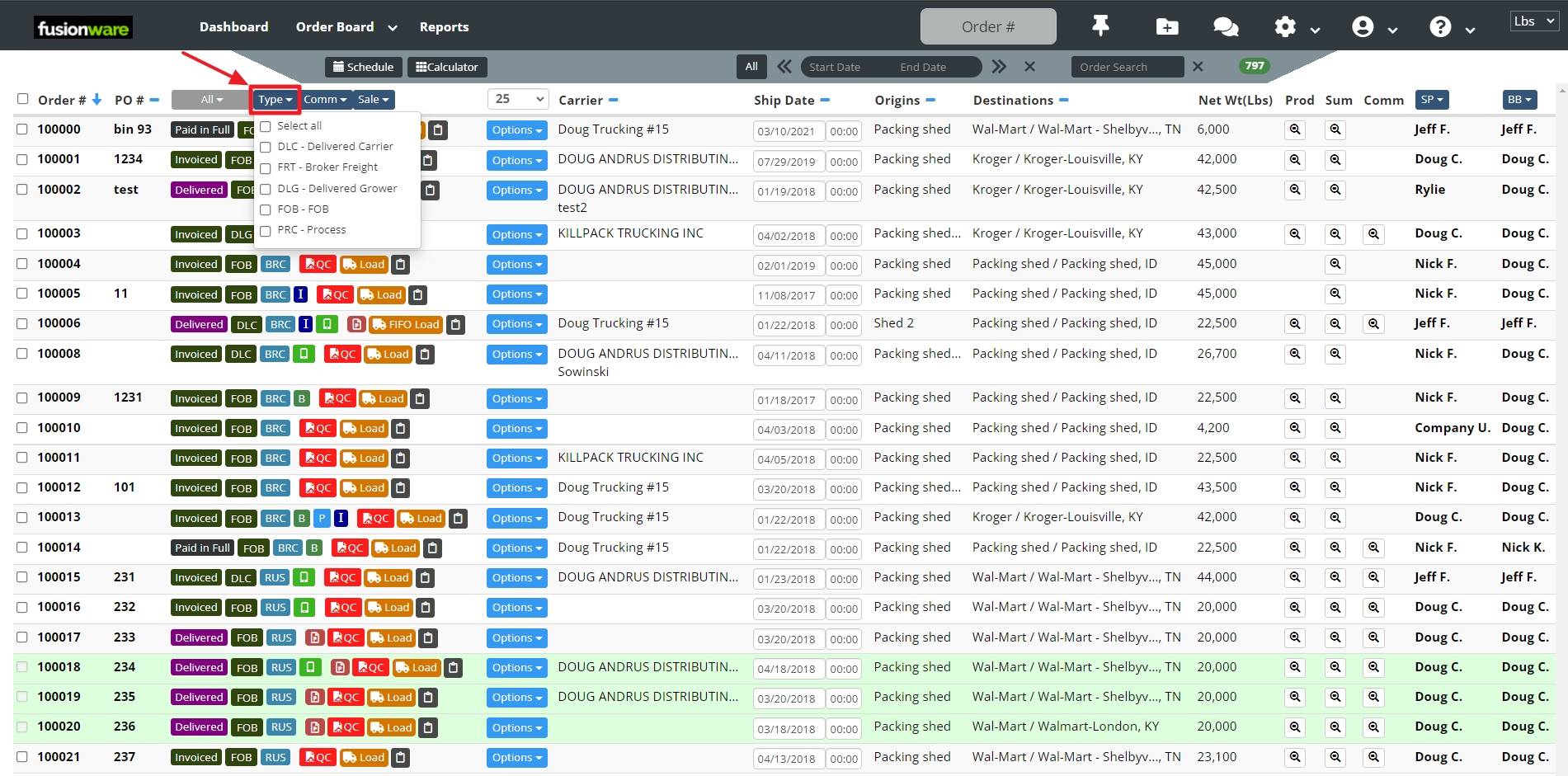 |
| Filter By Commodity | 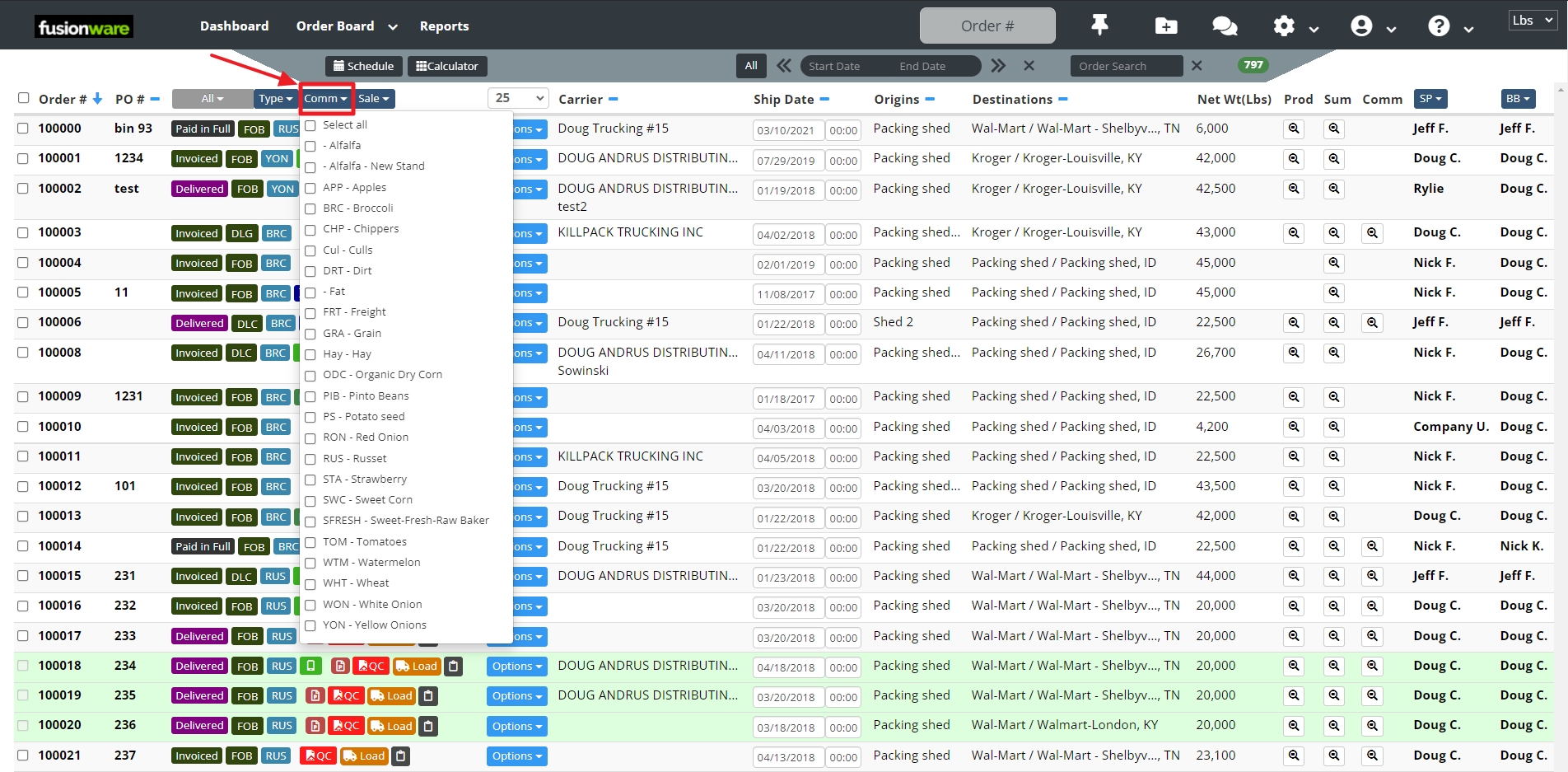 |
| Filter by Sales Type | 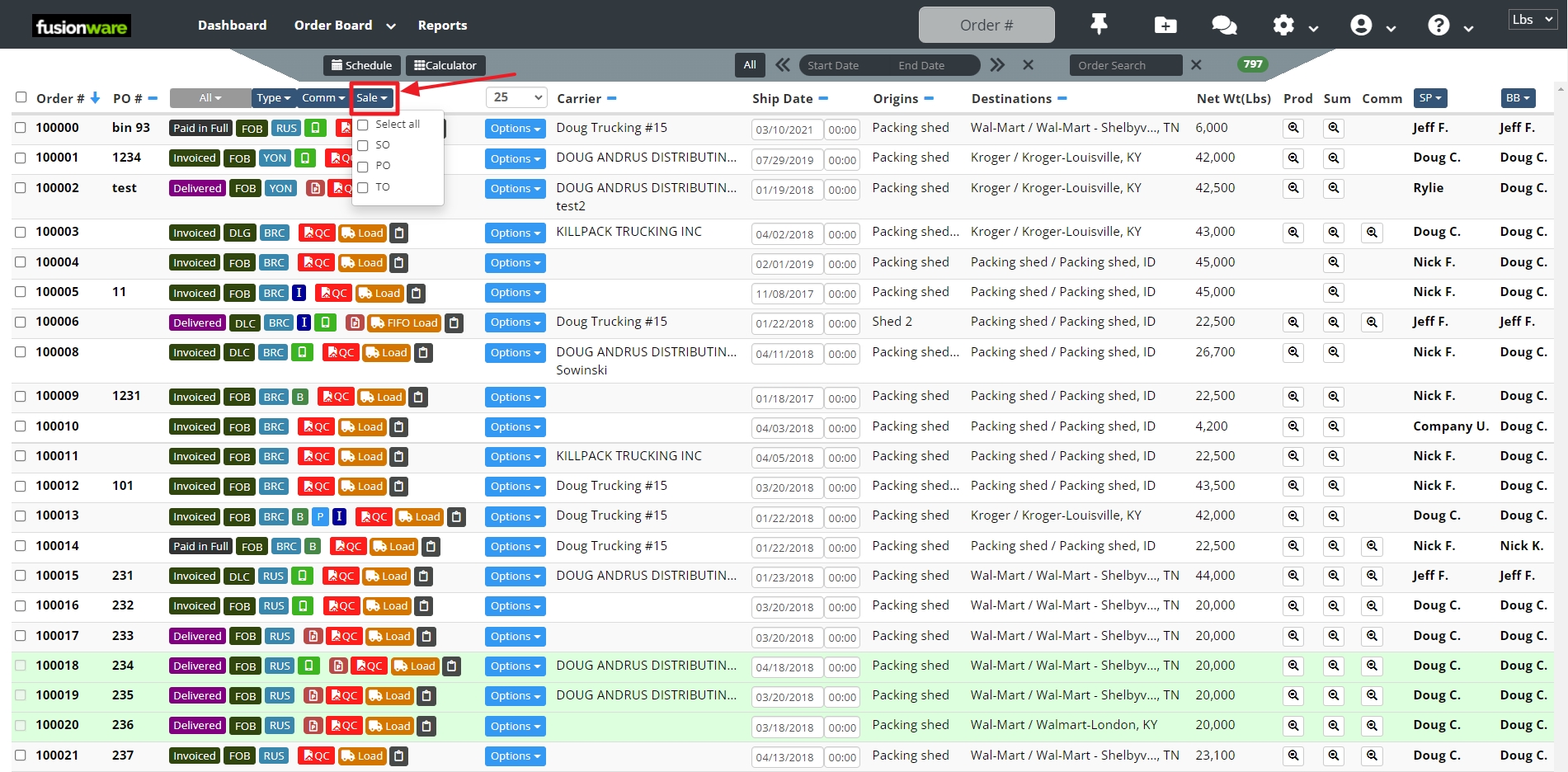 |
| Filter by Sales Person | 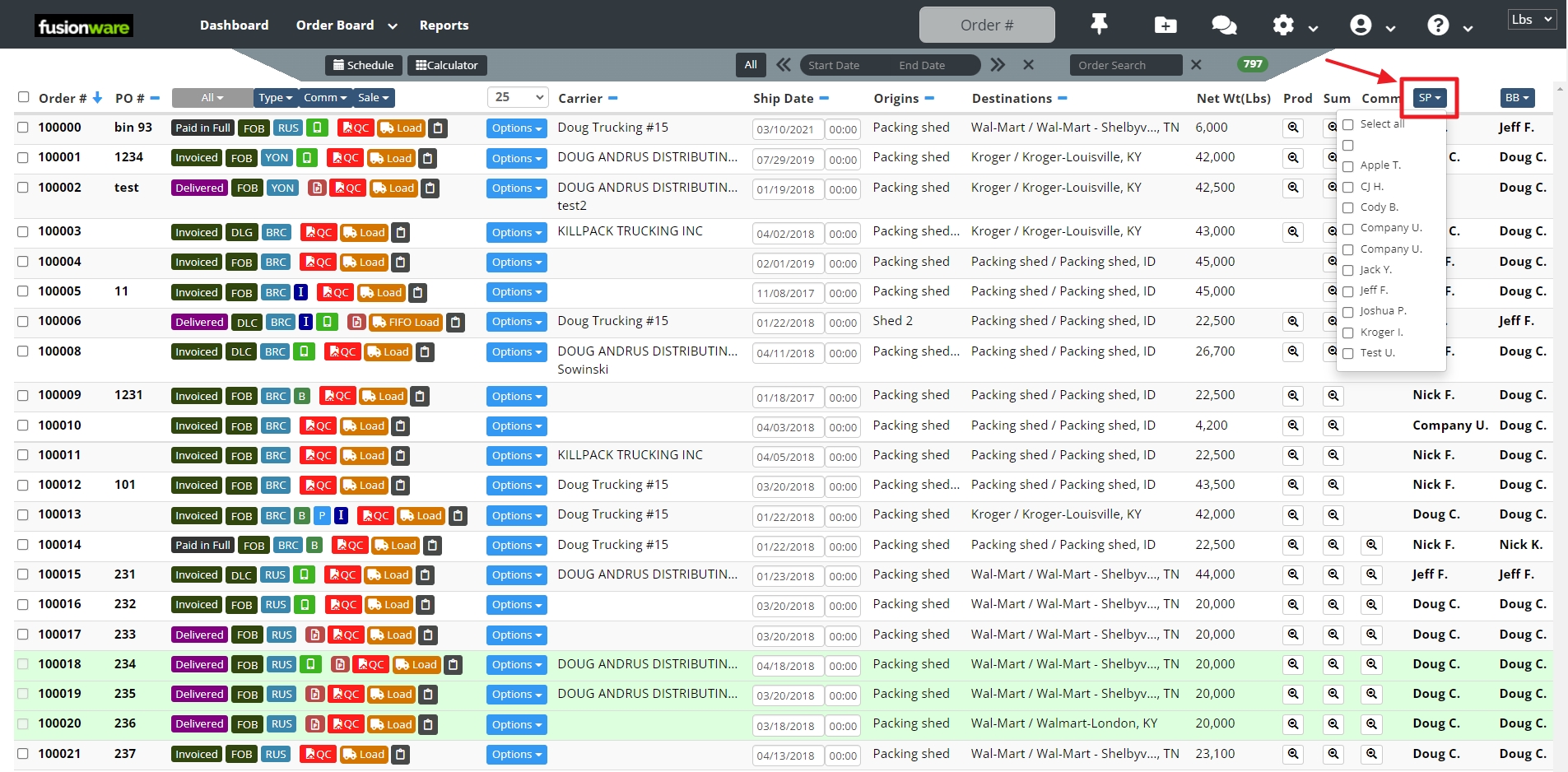 |
| Filter by Booked By Person | 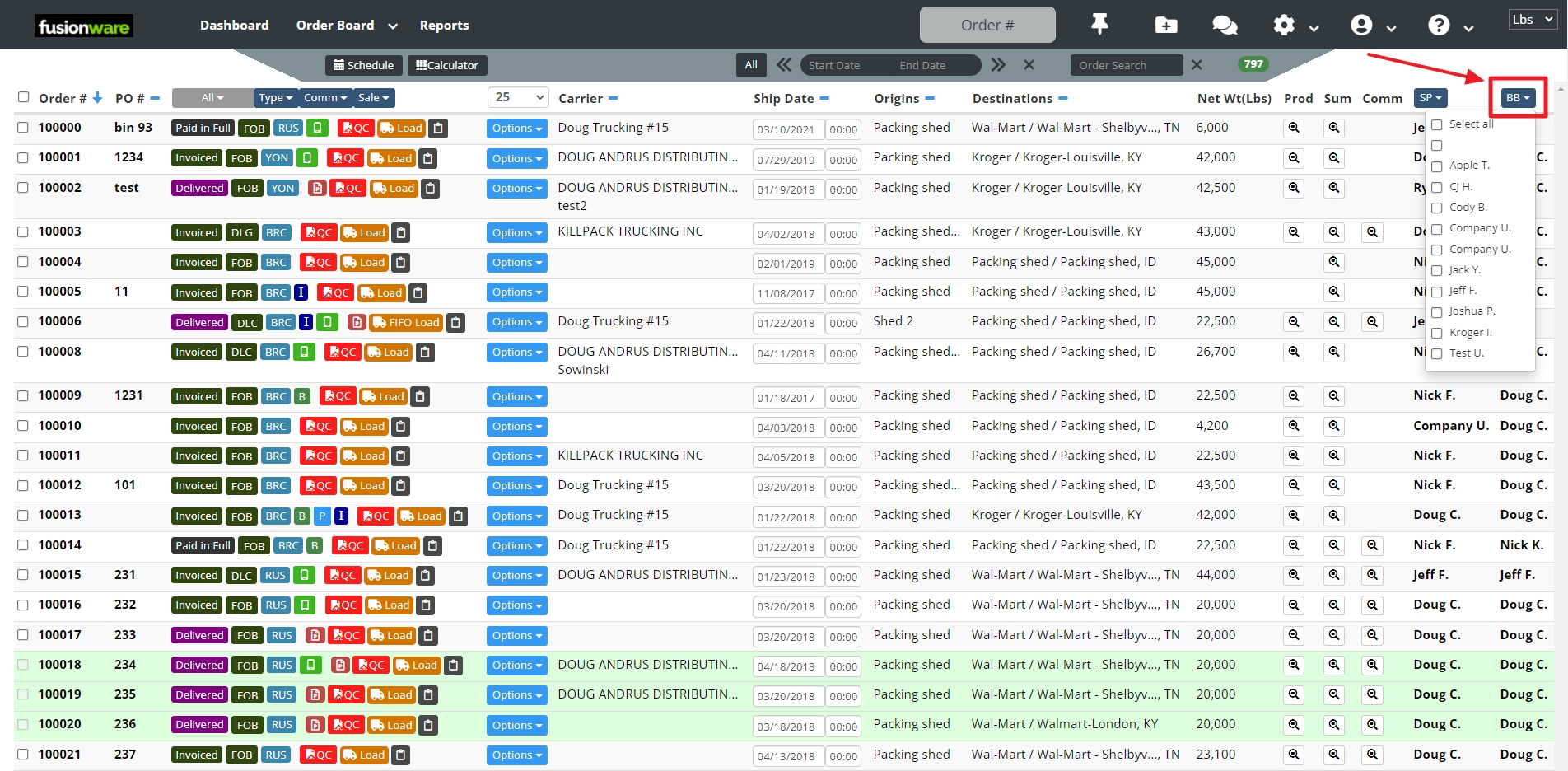 |
| Creating an Order | Select the folder with the plus sign to create a new Order 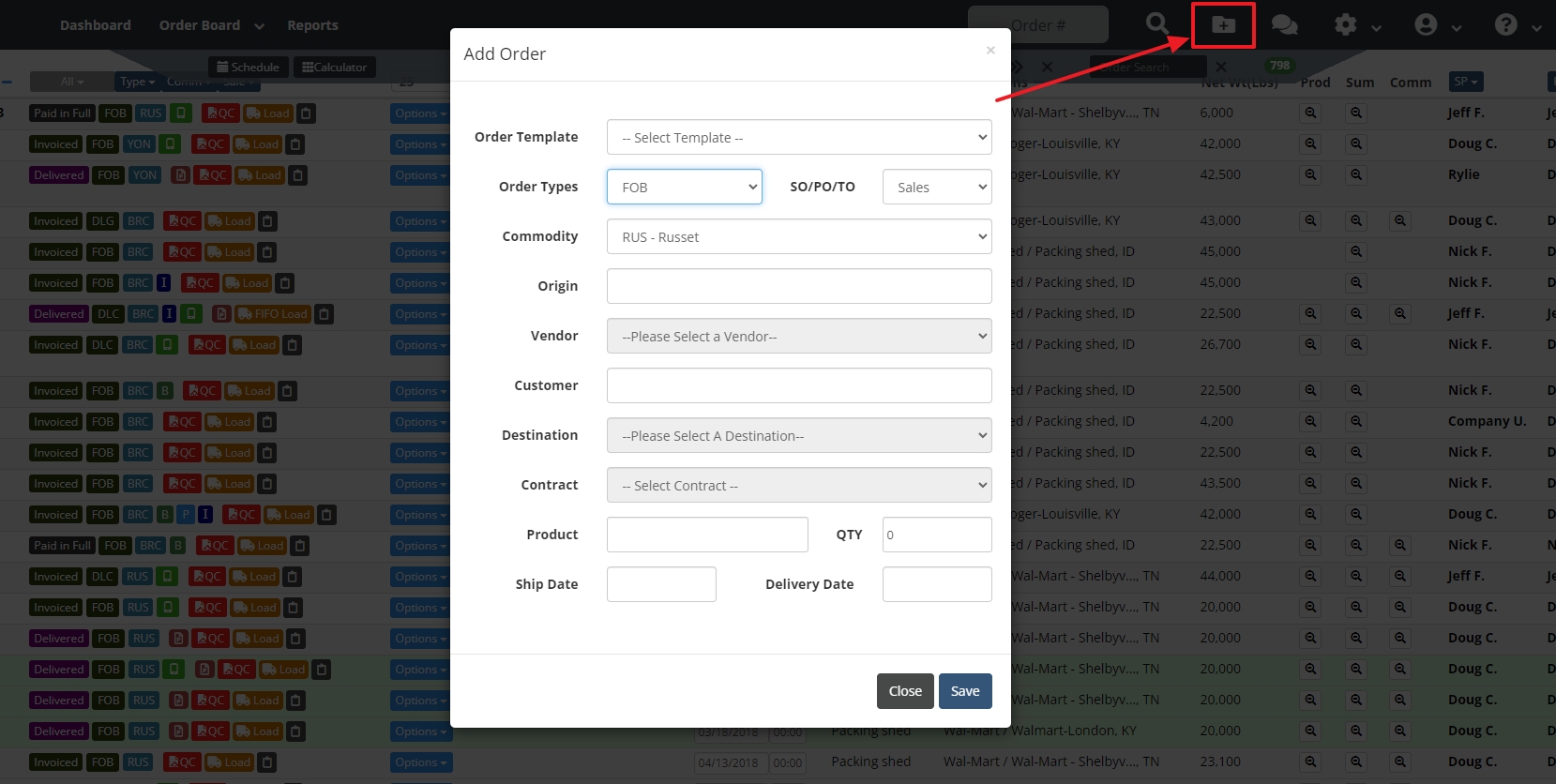 |
| Order Details | Organized in sections: Order Details, Carrier Details, Accounting Summary, Load Details, Products, and Freight & Fees 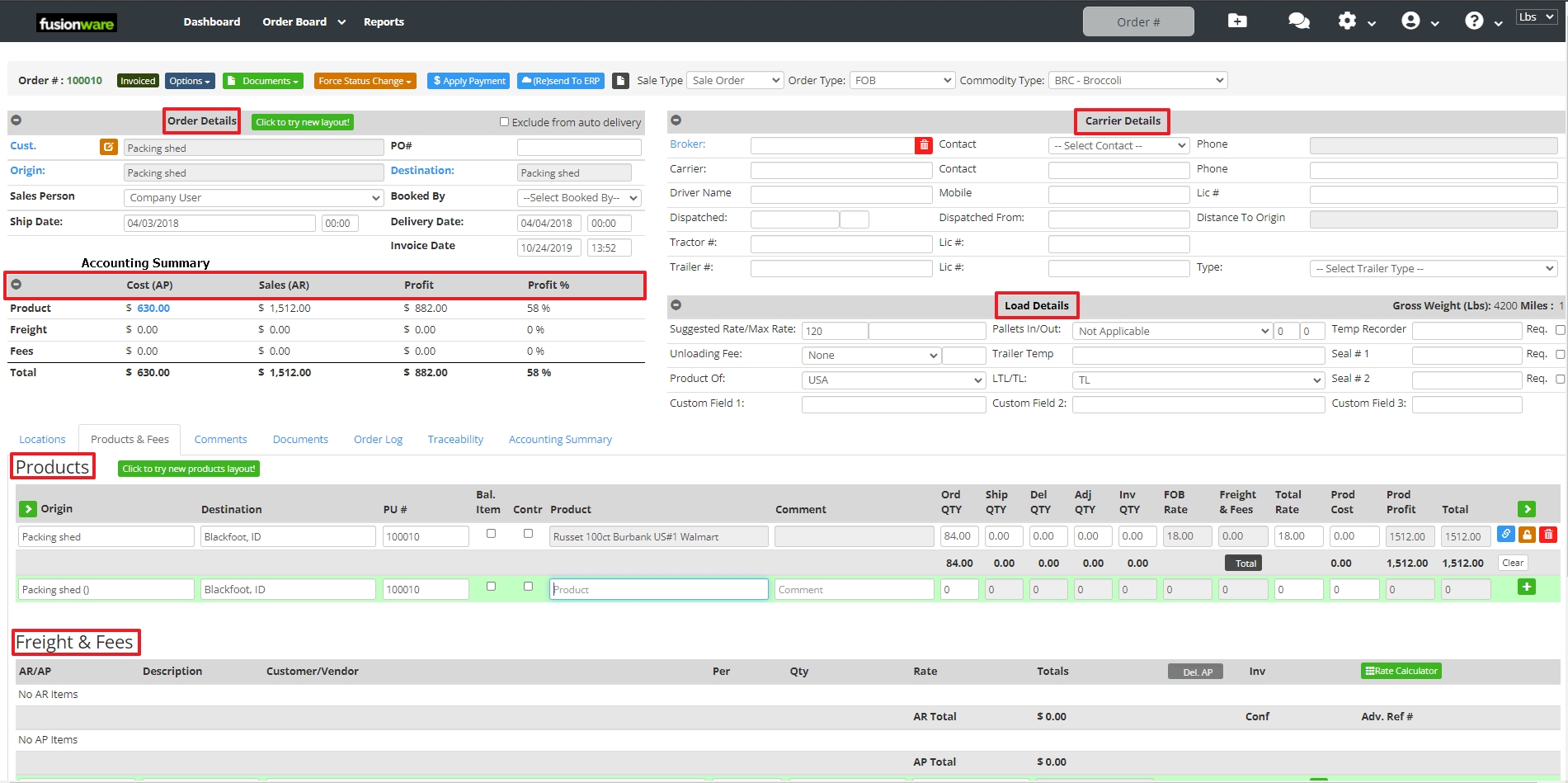 |