Fusion To Fusion
Fusion to Fusion gives you the ability to automatically send or receive orders with another company that uses Fusionware. Currently, you can setup one vendor to receive orders from and one customer to send orders to. Please contact Fusionware Support to get started.
| Fusion To Fusion | Image - Click To Expand |
|---|---|
| Settings > Company Profile > Integrations | 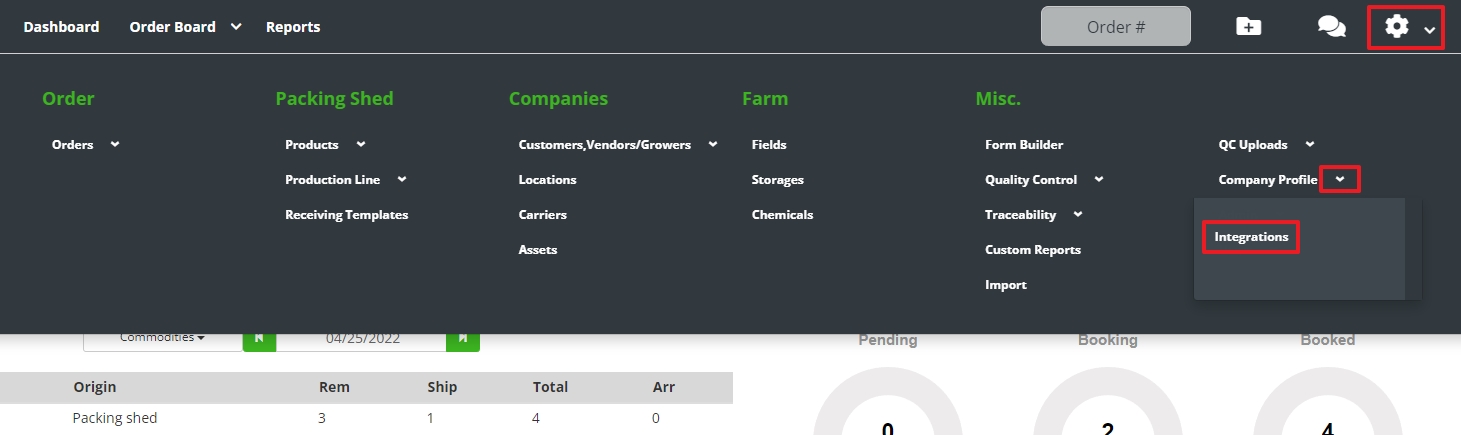 |
| Customer & Vendor Configurations | Once Fusionware support has setup your customer or vendor configuration this is where you can see the configuration 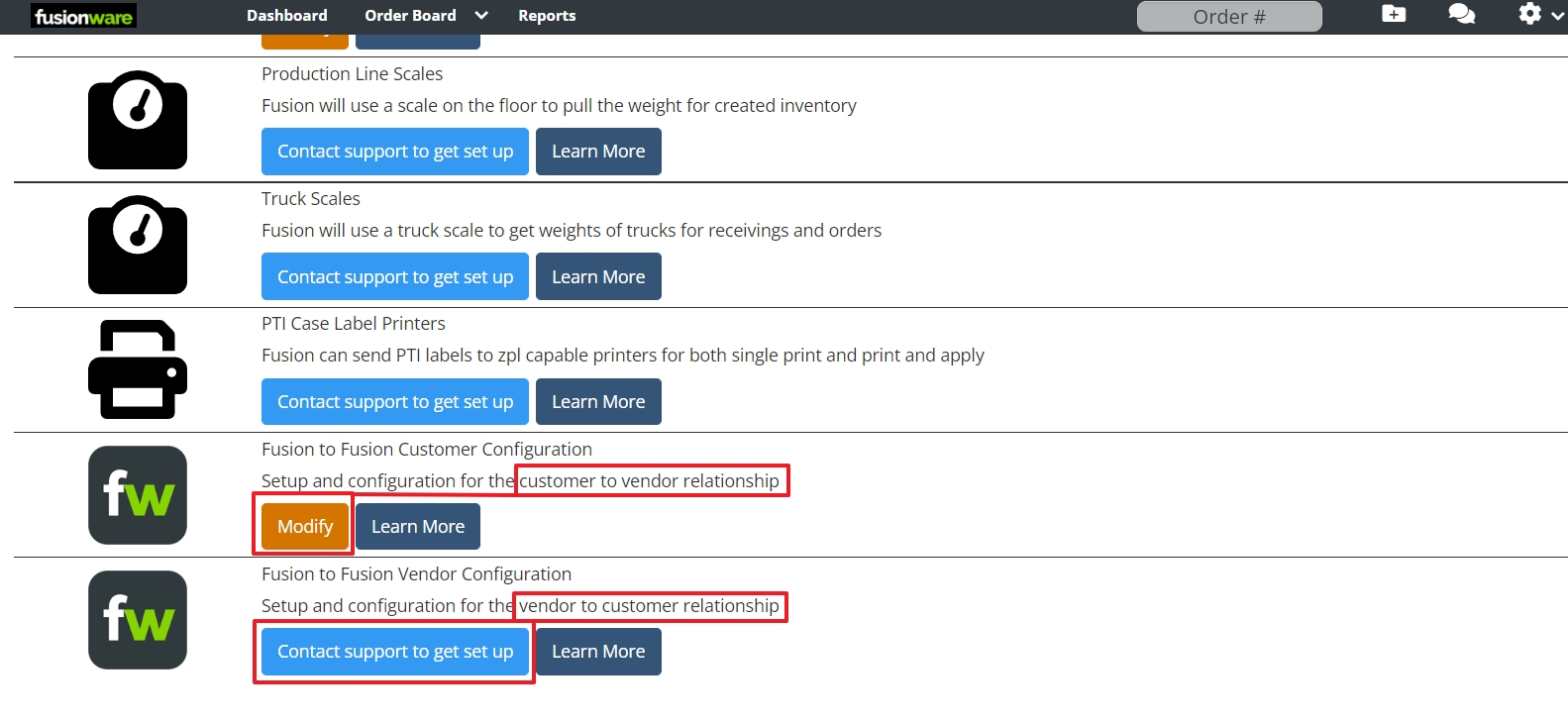 |
| PO# | The receiver of an order in Fusion To Fusion will receive the order as a new order with the sender’s own order numbers as the PO#.  |
| Unmapped Items Notification | This occurs when you have unmapped items related to Fusion 2 Fusion. When an order comes in from a vendor and they have items not mapped to your system, you will need to map these items. Settings > Mappings > Unmapped 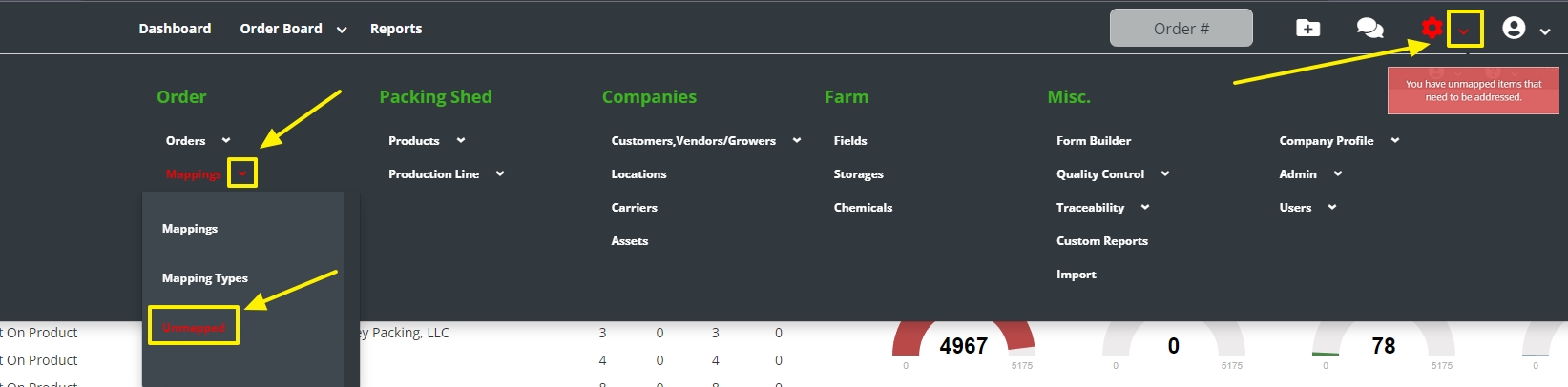 |
| Unmapped List | The list of unmapped items will show up and you will need to select the + sign to expand the unmapped details 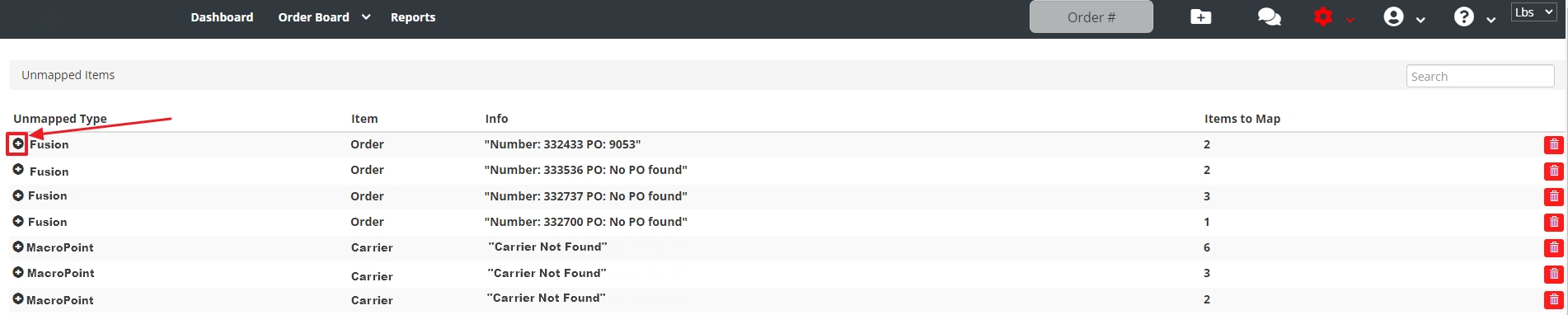 |
| Unmapped Details | This shows there are 2 items to be mapped for this item and the external reference # tied to the data you are trying to receive  |
| Select The Fusion Item | In this scenario it is the vendor you want that needs selected in the “Fusion Item” field so every time this specific company in the Master Data column, along with its External Reference, comes in on an order it will be mapped to your selected Fusion Item. Press “Save Mapping”.  |
| Mappings | To see the entire list of items previously mapped go to Settings > Mappings > Mappings  |
| Mappings List | The 4 columns in the Mappings list.  |