2024 What's New
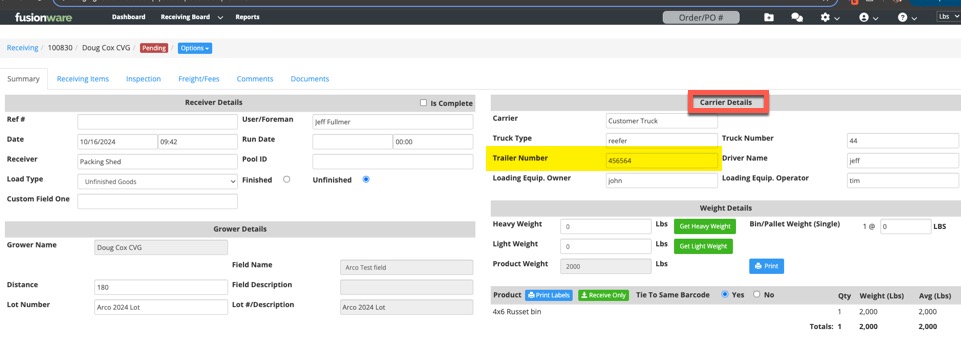
October 2024: Trailer Number Added to Receivings
- In the Carrier Details section inside a receiving, we have added a Trailer Number field
September 2024: Grower Settlements Delete.
- You can now delete Grower Settlements.
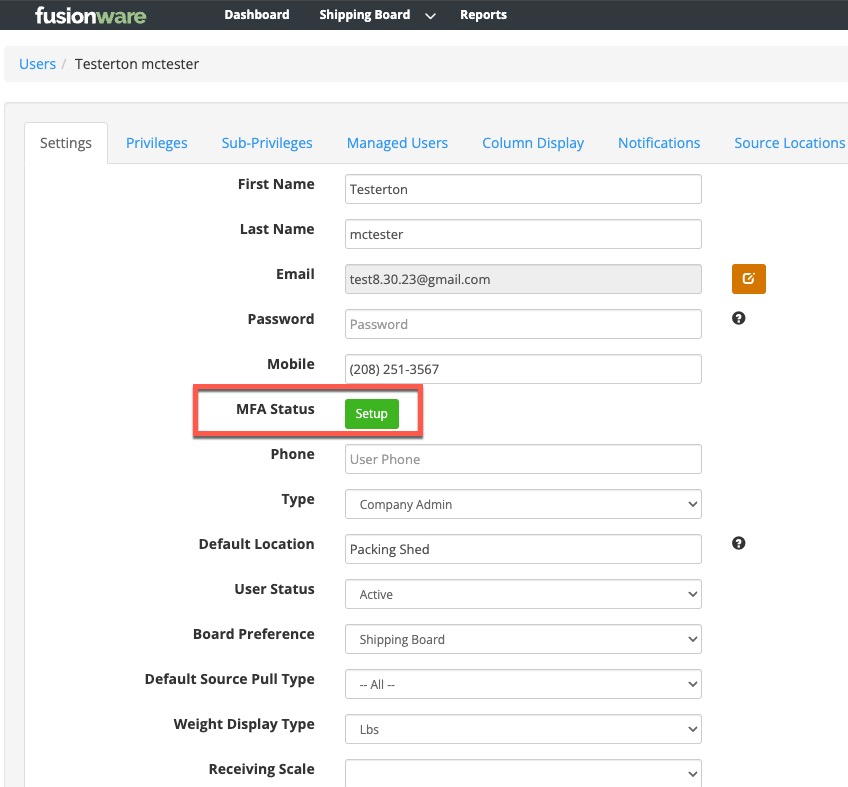
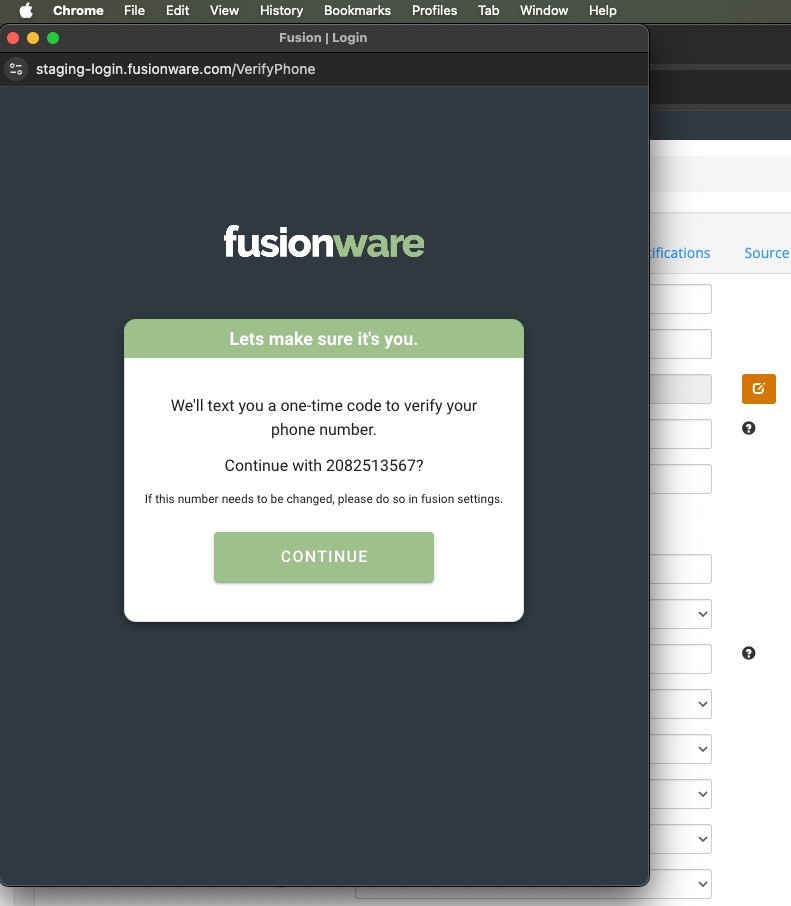
September 2024: Multi-Factor Authentication (MFA)
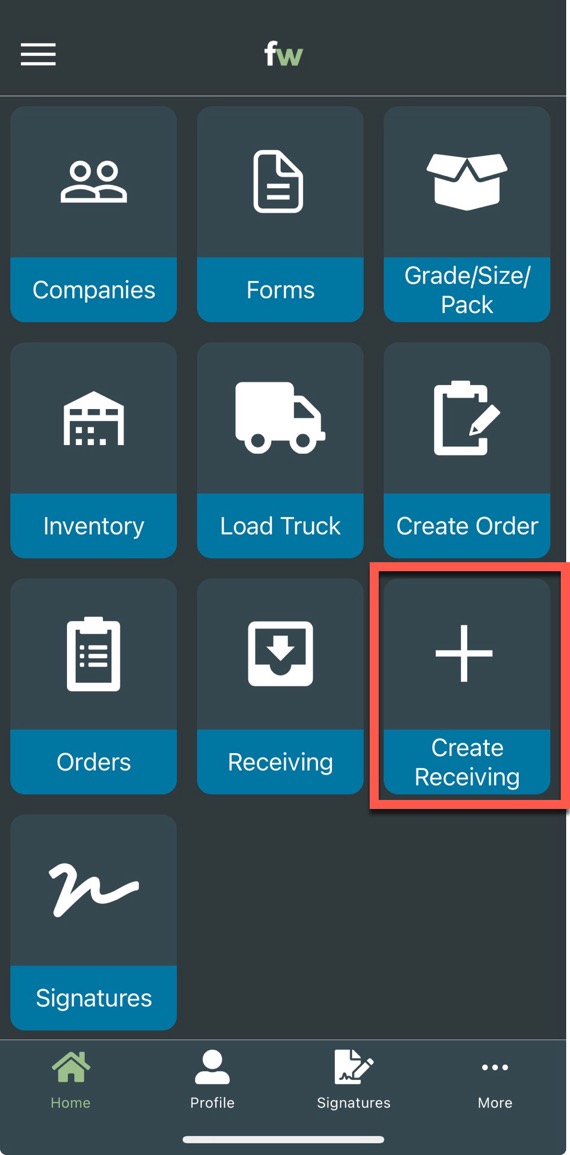
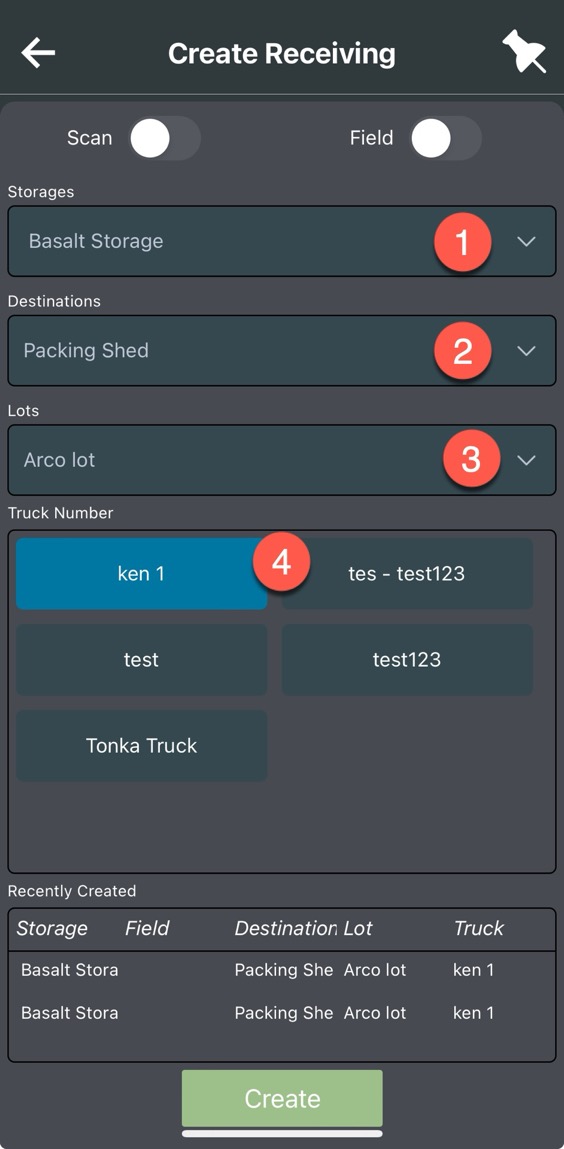
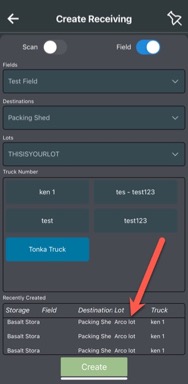
August 2024: Mobile App Receiving Create Updates

July 2024: Speed Issues Addressed
- The team has been working on speed issues with the application. There are several causes, mainly around users running large reports repeatedly.
- Measures have been taken and are continually being worked on to keep the database running optimally.
June 2024: Squashed Some Mobile App Bugs
- Continually refining the mobile app and squashing bugs.
June 2024: Order Template Update
- Order Templates now look at live data.
- If you do not have valid/current companies, products, or other items in your template you will now get an error.
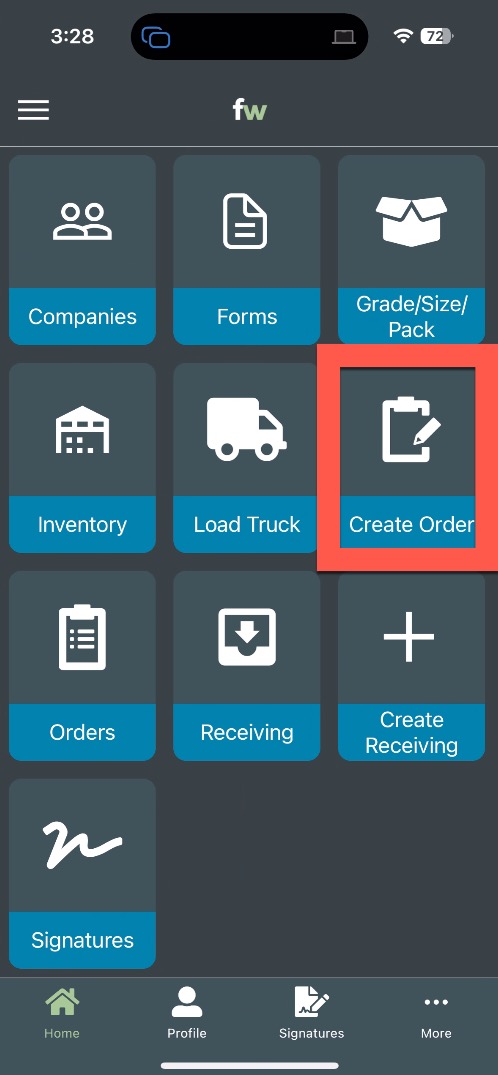
June 2024: Mobile App Order Create
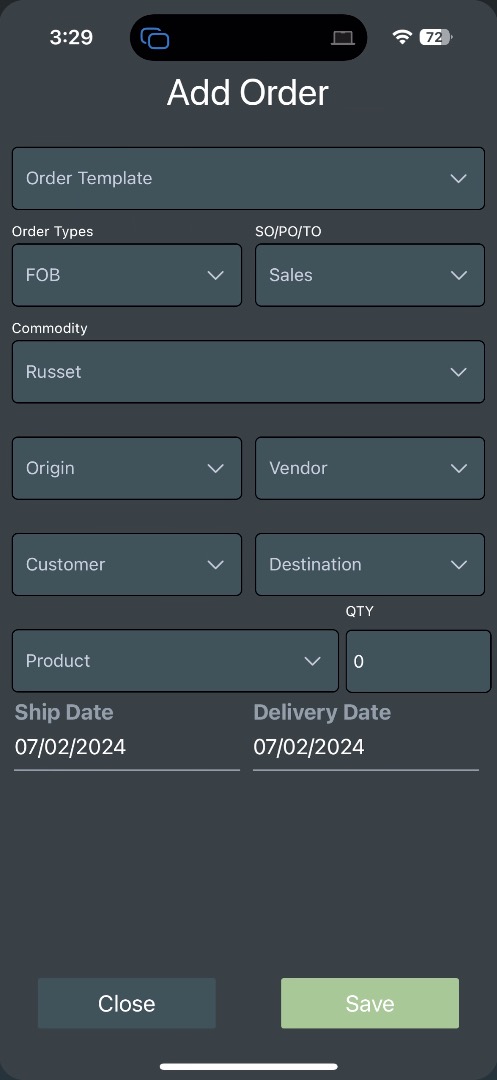
- You can now create orders in the mobile app.
- Make sure you have filled out every filled or the order will not create.
- Added the ability to create orders using the template function.
- This is the fastest and easiest way to create an order on the mobile app.
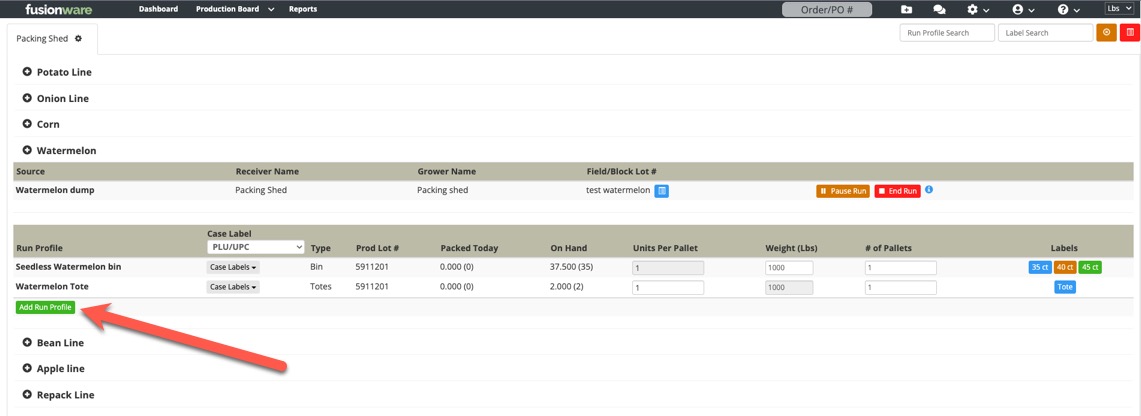
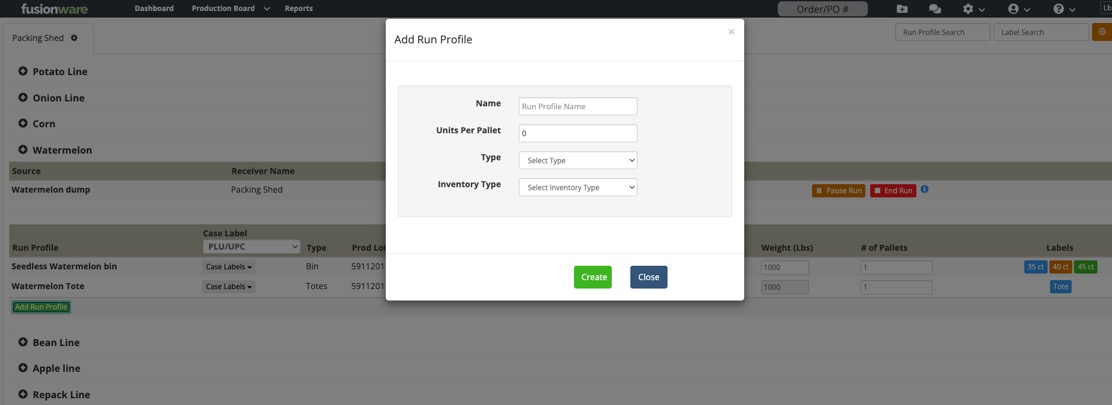
April 2024: Run Profile Quick Add
- On the Production Board we have added a quick add option for creating a new run profile.
- The user profile must have the run profile settings privilege to access or create a run profile.
March 2024: Order Traceability Tab Enhancements
- Added a hyperlink to the lot/field in the traceability tab on an order.
- If you have “auto incrementing lot numbers” for your production a new column will show up with “Production Lot #”.

March 2024: Production Board Privileges
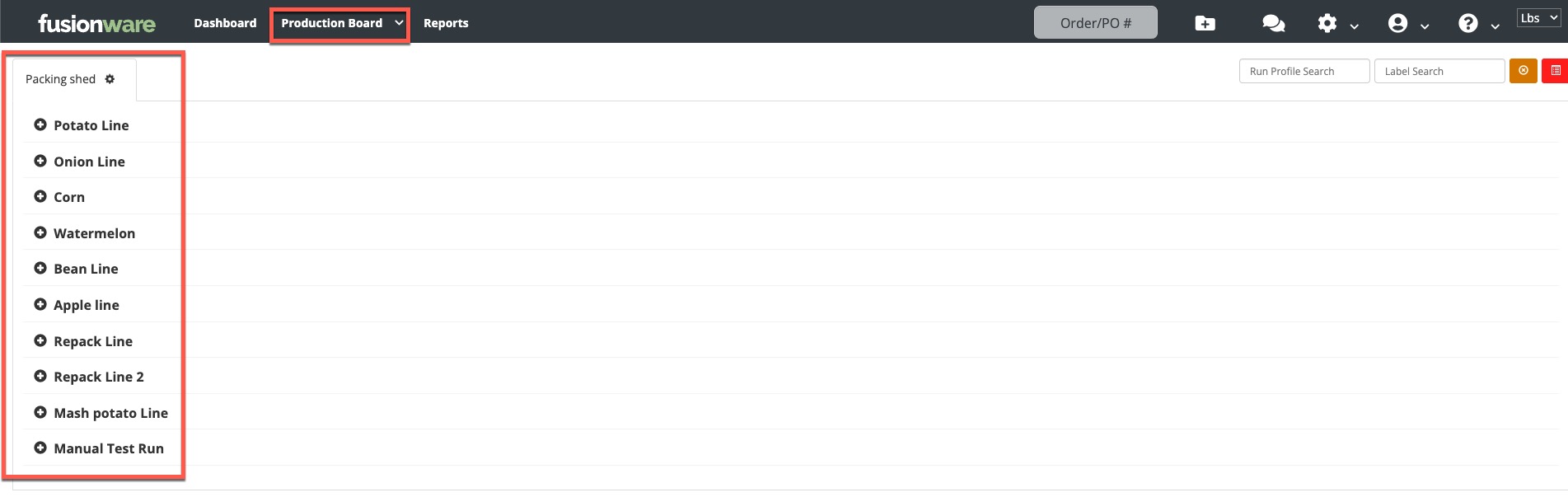
- An Admin can now restrict access to specific Production Lines on the Production Board
- The user must have the Source Location with the Production Lines they need access to
- Previously, if a user had the Source Location added to their user then they had access to all Production Lines and there was no way to restrict that
-
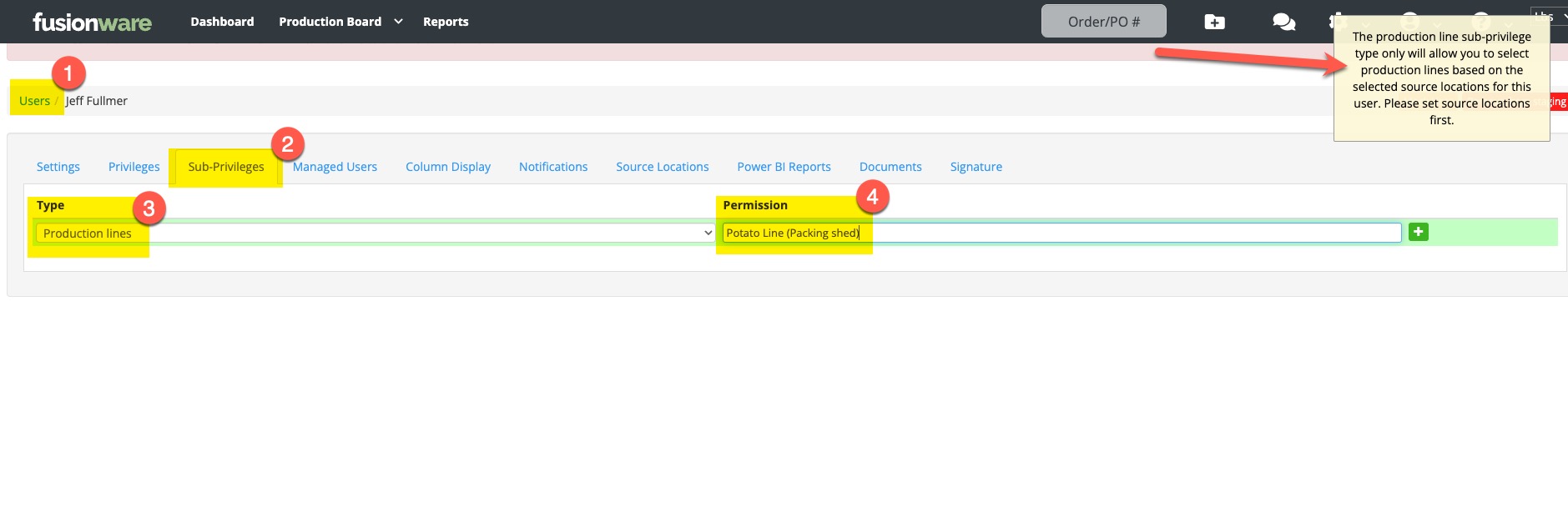
An Admin can now go into Settings » Users » Sub-Privileges and then select Production Lines for the Type and for the Permission Type the name of the Production Line and select it. Add the permission with the green plus button.
-
The user will now only see the Production Lines assigned to them in the Sub-Privileges. If you do not have any Sub-Privileges and they have Production Board permissions and the Source Location, they will still see all the Production Lines.

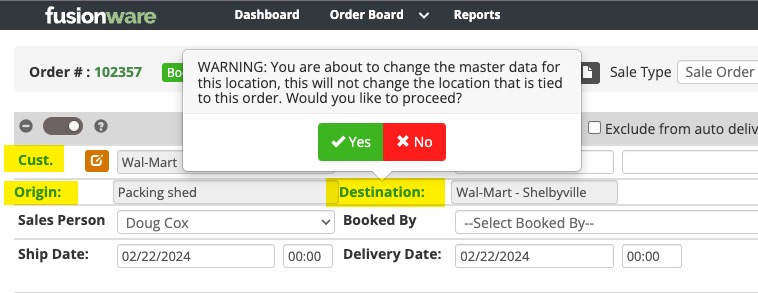
February 2024: Order Details Edit Warning
- In an order, if you select the shortcut to edit the Customer, Origin, or Destination you will now see a warning that you are not changing the company or location for the order but editing the settings for those items
- Newer users mistaking think these shortcuts are how you change the Customer or Locations on an order and it changes the master information in the settings
February 2024: Mobile App Dumping Into Source
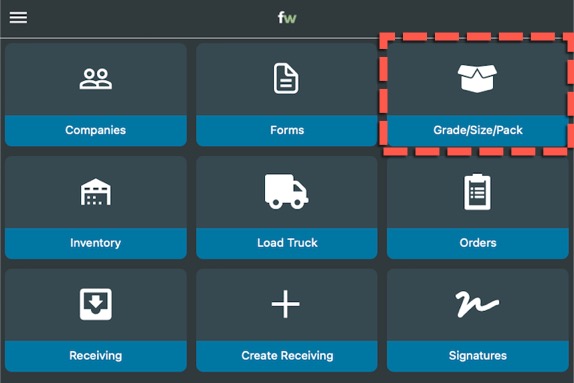
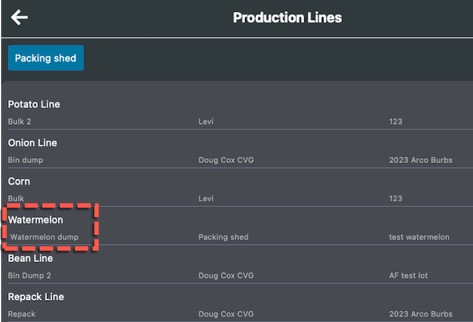
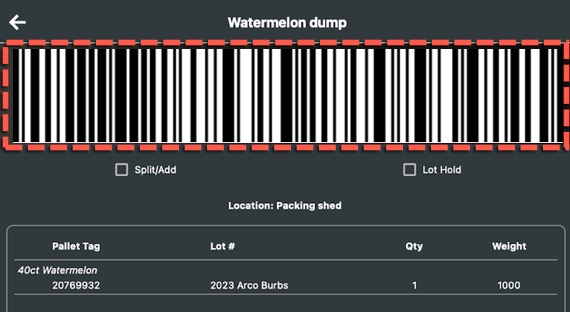
- You can now dump into a source in the mobile app
- In the mobile app this functionality, located in the “Grade/Size/Pack” button, will allow you to use your phone camera or Android hand scanner to scan your pallets as you dump them into your production lines
February 2024: Download Button
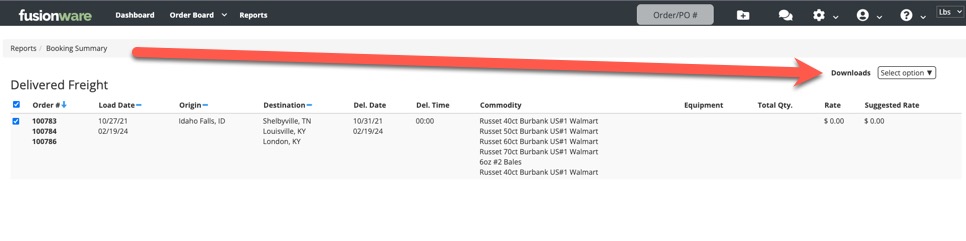
- Download buttons are changing throughout the app to a dropdown selection instead of a green button
- Here is what it looks like in the Booking Summary
February 2024: Send Driver Signature Shortcut
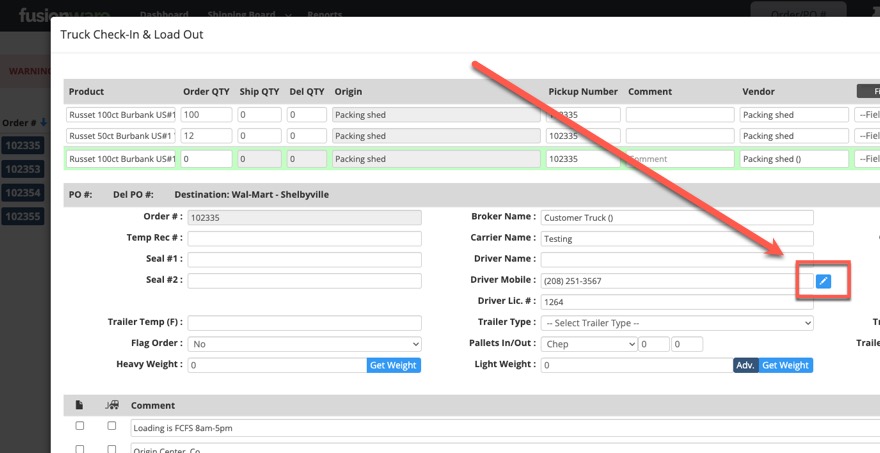
- On the Shipping Board, in the modal pop-out on an order, we have added the send driver signature option.
January 2024: Order Details Toggle Update
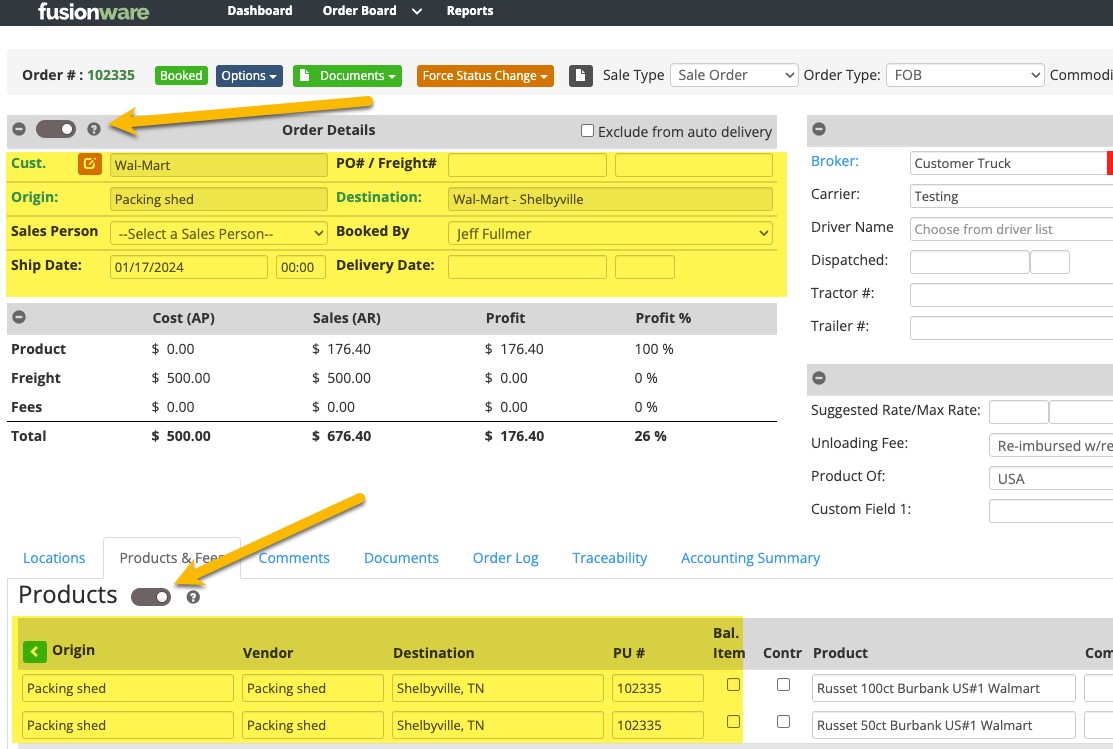
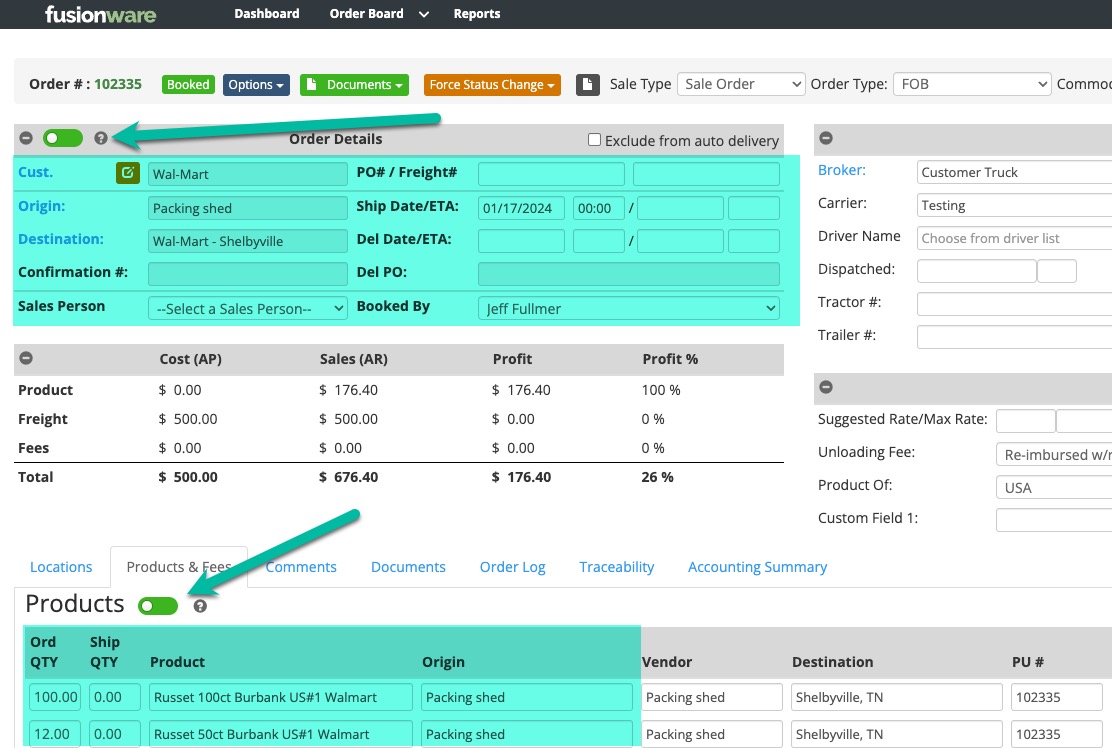
- We have updated the button option to change the layout inside of an order.
- It is now just a toggle that shows grey if you are in the default view and green if you are in the alternate view.
January 2024: Bulk Order Origin Update
- Added the ability to bulk update the Origin on multiple orders on the Order Board.
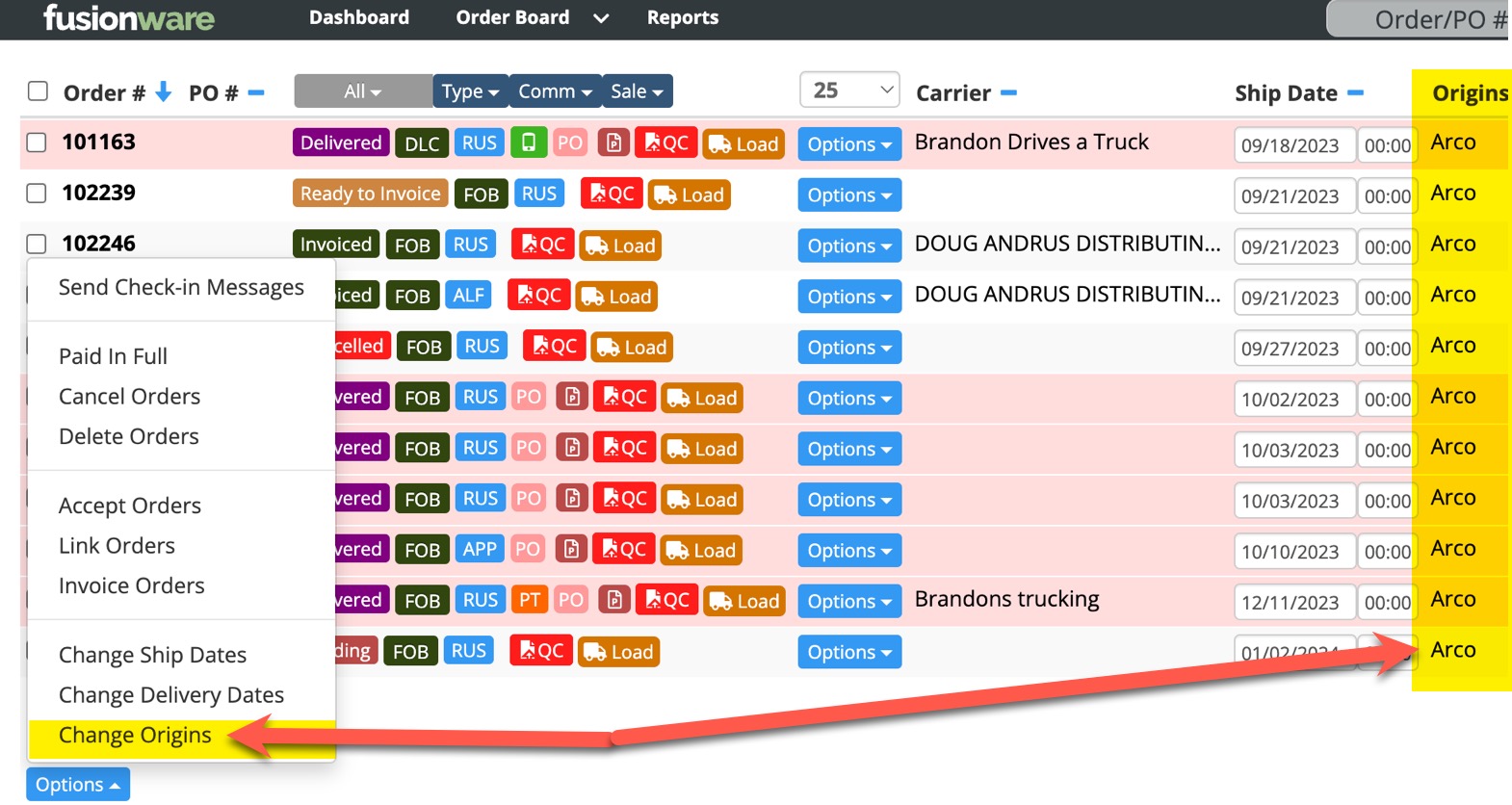
- Select the check box next to the orders on the Order Board you want to bulk update the origins on and then select the options button.
- Select the Change Origins button.
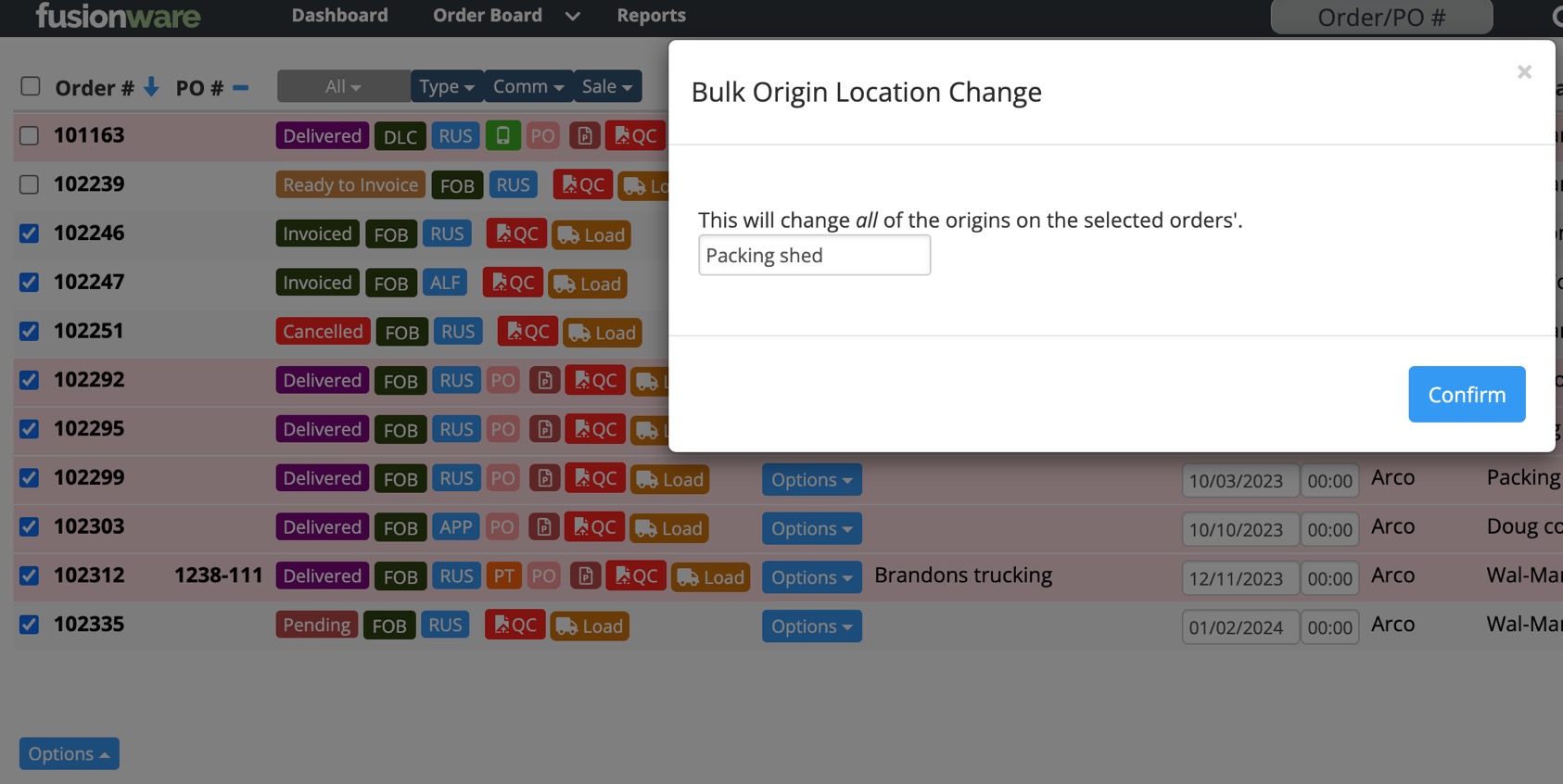
- In the modal pop-up, type and select the origin you want to update to and press confirm.